Invite Your Friends to Play Private Games on SteemLudo.
Hello Everyone! Hope you all will be happy and well.

Gaming is always more fun when you can challenge the people you already know. SteemLudo makes this easier with the new Ludo Game Invite option, allowing players to invite their SteemLudo friends directly to a private table.
With just a few clicks, you can select a friend, configure your private game, and send an invitation. Your friend can then join the table and start playing with you.
How to Invite a Friend to a Ludo Game
The invitation process is simple.
- From the SteemLudo home screen, go to your Friends Online section.

- Click on the profile of the friend you want to challenge. When you open the user profile, an Invitation button will be available. This gives you a quick way to start a game invitation without having to manually create a room first and share links manually.
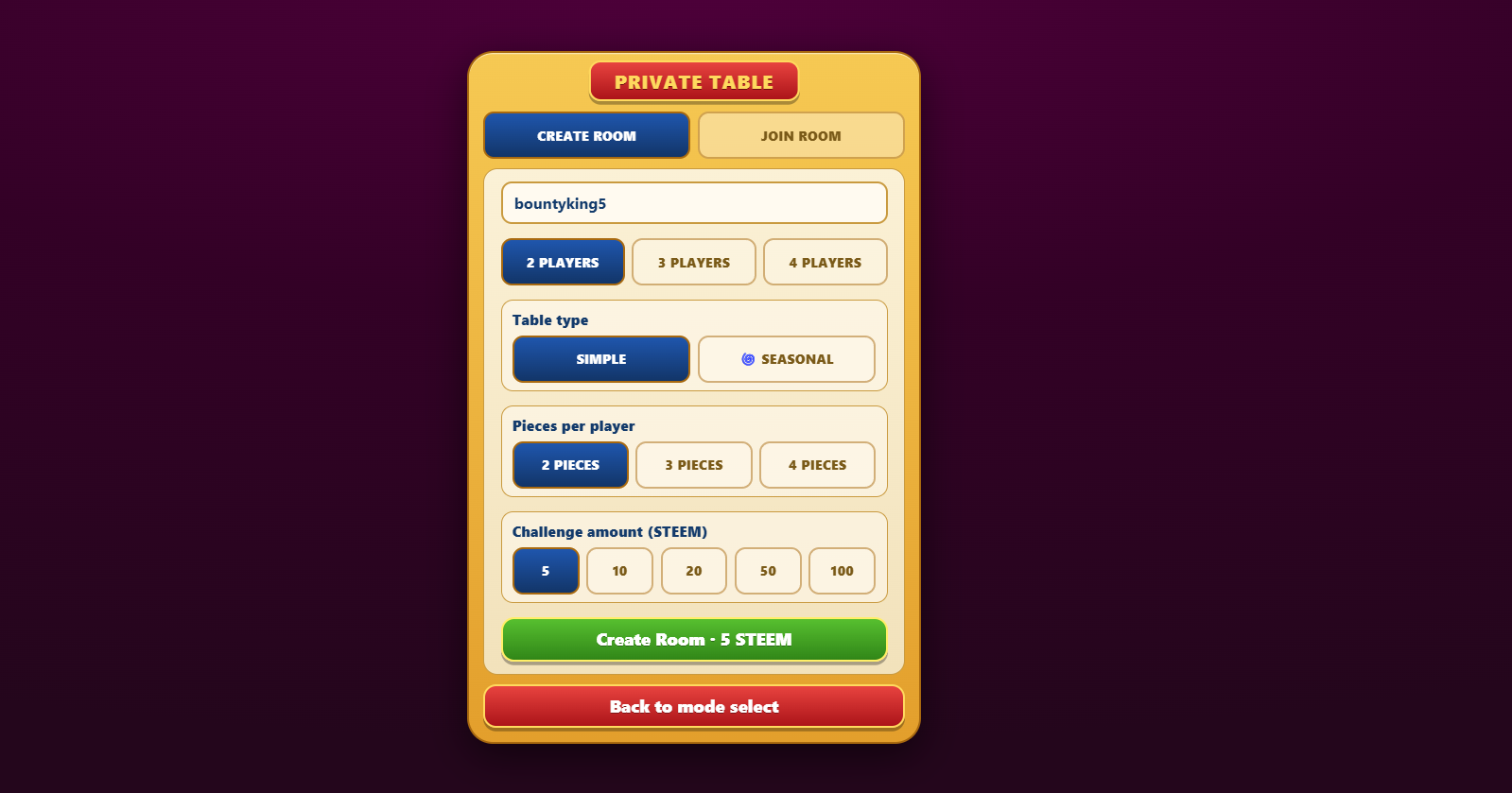
- Click the Invite button on your friend profile. A Private Table setup modal will appear where you can configure the game before sending the invitation.
- invitation popup will show on your friends lobby screen and also show in notification section, just click on join button to join the room.


Please cast your witness Vote to bountyking5
Executive Moderator @bountyking5
Follow | Upvote | Share | Comments
Special Thanks: @rme
Follow me on Instagram.
Instagram
🆃🅷🅰🅽🅺 🆈🅾🆄
Upvoted! Thank you for supporting witness @jswit.
Thank you for sharing on steem! I'm witness fuli, and I've given you a free upvote. If you'd like to support me, please consider voting at https://steemitwallet.com/~witnesses 🌟
Curated by: @ahsansharif