SteemX Update: Internal Market Is Now Live (Trade STEEM and SBD Inside SteemX)
Hello Steemians,
Today I am happy to share a new feature in SteemX. the Internal Market.
Until now, SteemX users had to leave the site and open another wallet to trade STEEM and SBD. Now you can do it inside SteemX, on one page.
In this post I will explain what the market is, how I designed it, what I used to build it, how it works, and why I think it is easier to use than the Steemit market page.
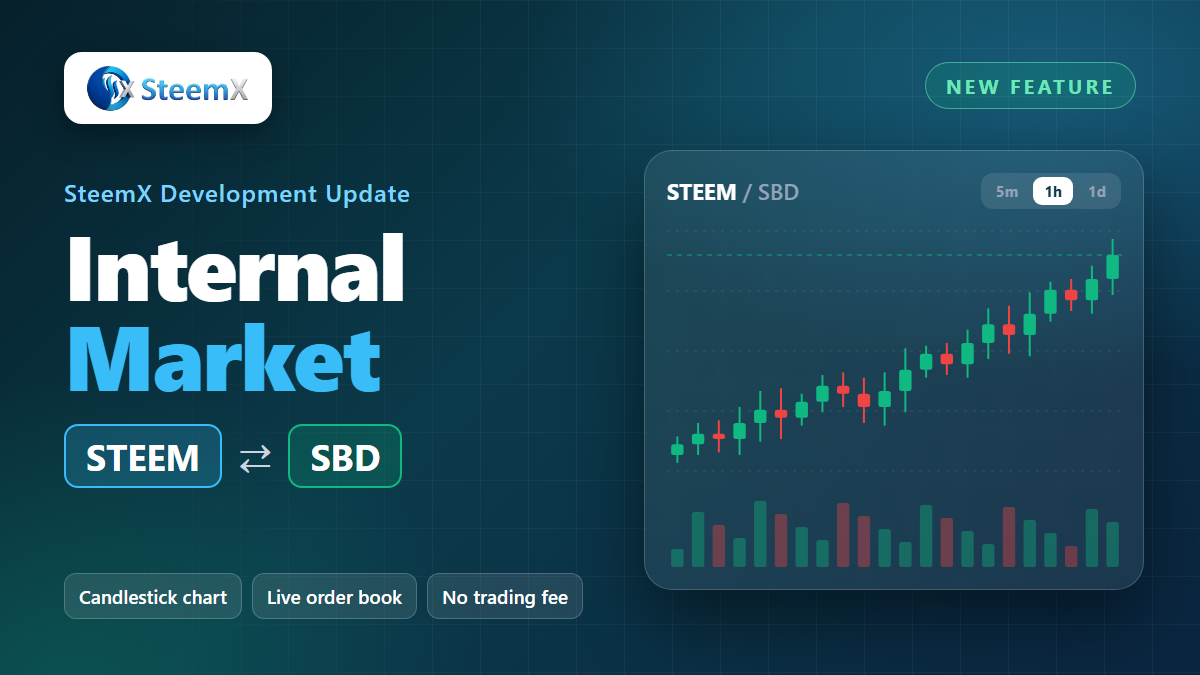
What is the Internal Market?
The Steem blockchain has its own small exchange built in. On it, users trade STEEM and SBD with each other directly. There is no company in the middle and no trading fee.
SteemX does not hold your coins. Your order goes to the blockchain, and the blockchain matches it with another user's order.
What is on the page
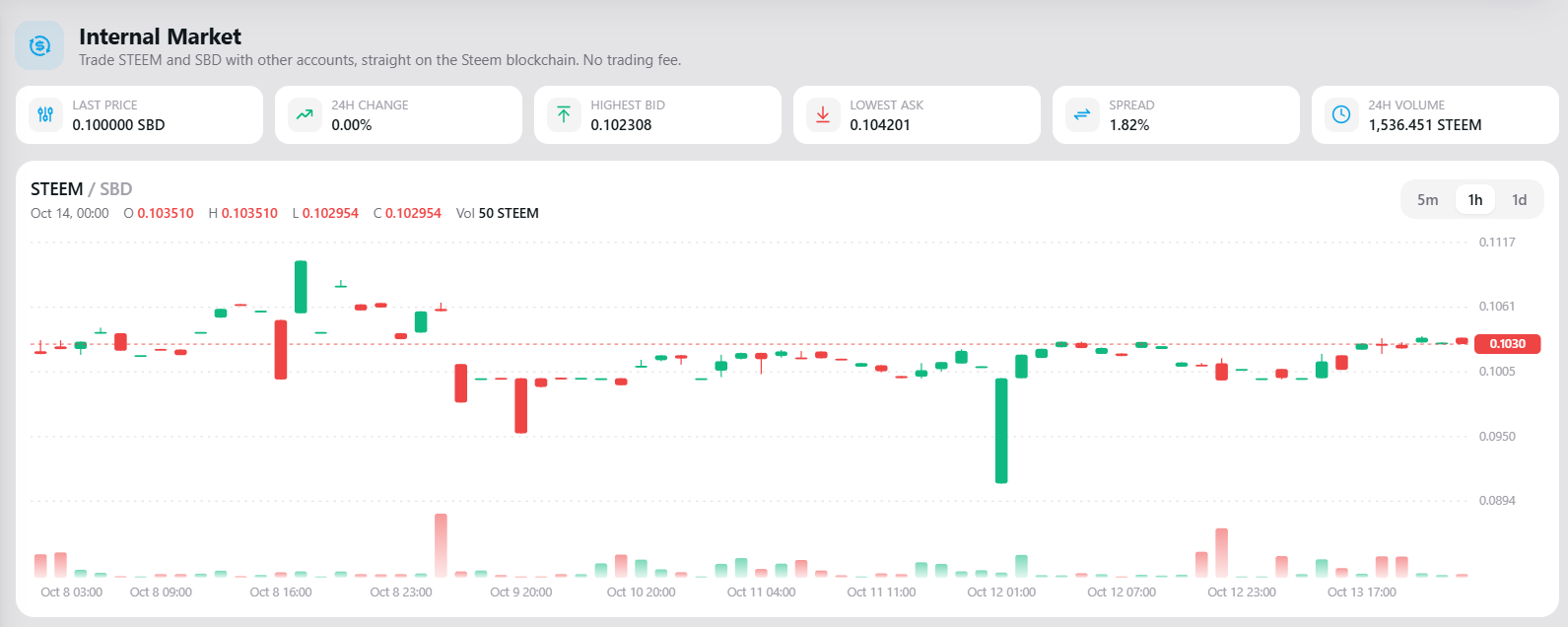
1. Market numbers at the top
Last price, 24h change, highest bid, lowest ask, spread and 24h volume. You see the state of the market in one look.
2. Price chart
A candlestick chart with volume bars under it. You can switch between 5 minute, 1 hour and 1 day candles. When you move the mouse over a candle, it shows open, high, low, close and volume. A line marks the current price.
3. Buy and Sell form
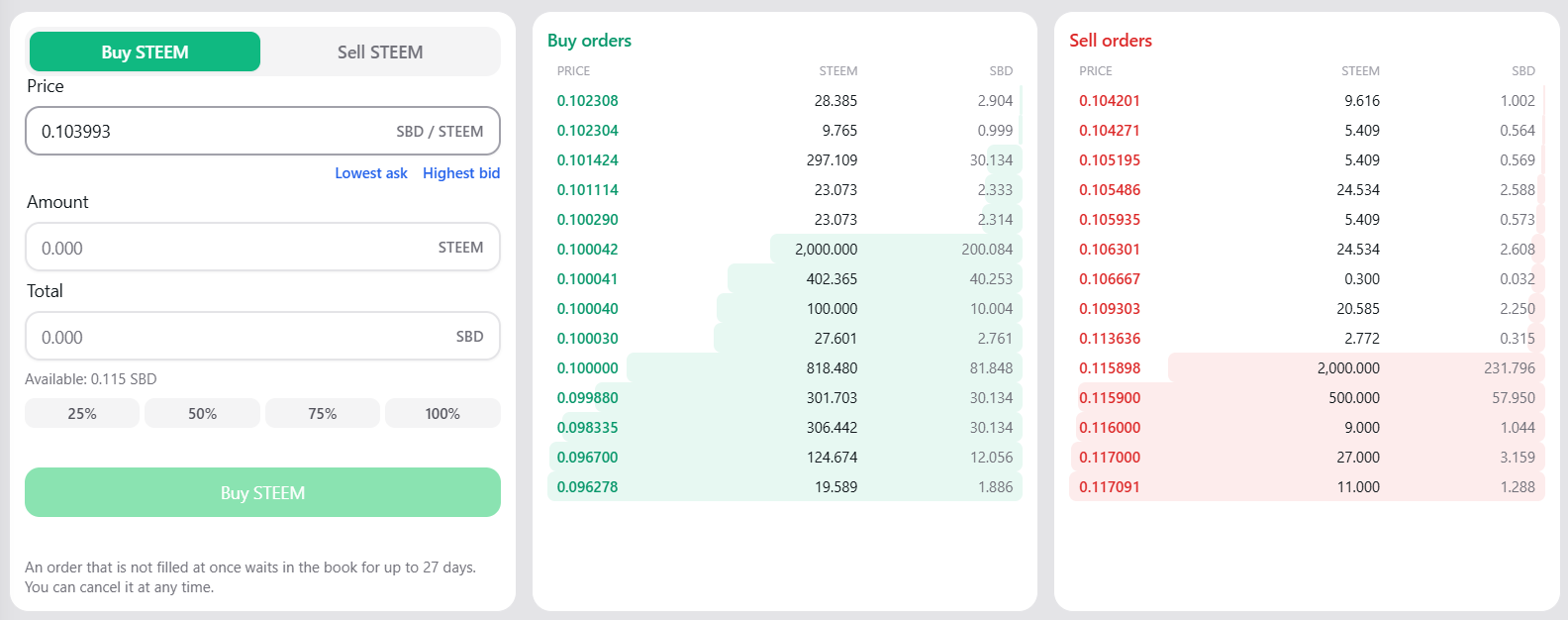
Three fields: price, amount and total. They are linked, so when you change one, the others update. There are also:
- "Lowest ask" and "Highest bid" buttons to fill the price in one click
- 25%, 50%, 75% and 100% buttons to use a part of your balance
4. Order book
Buy orders on one side, sell orders on the other. A coloured bar behind each row shows how much is waiting at that price. If you click a row, the form is set to that price.
5. My open orders
This box only appears when you have an open order. Each order has a Cancel button.
6. Recent trades and My trades
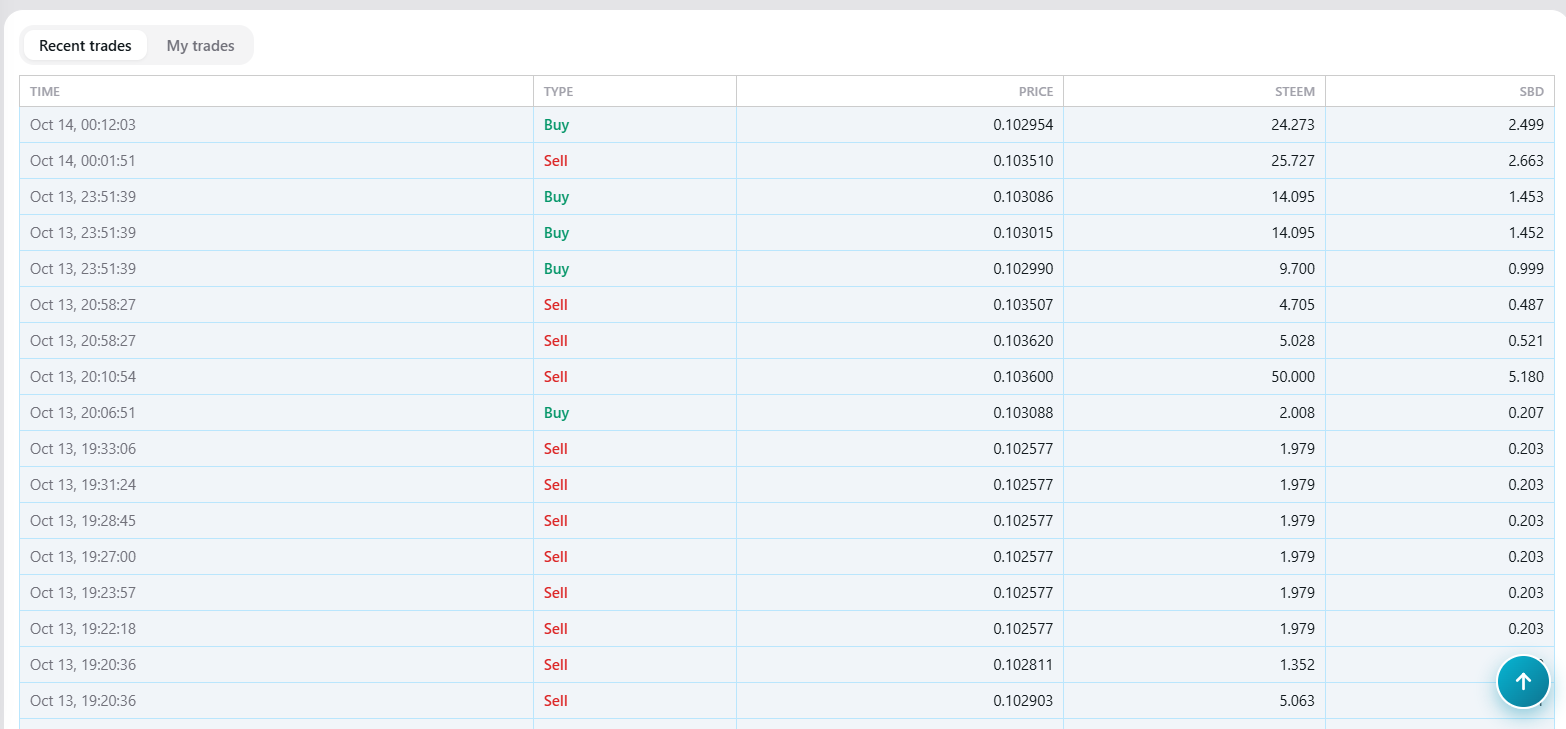
Two tabs. "Recent trades" shows the latest trades of the whole market. "My trades" shows your own trades from the last 90 days.
How it was designed
I had a few simple goals:
- Everything on one page. Chart, form, order book and history are together. No jumping between pages.
- Looks like the rest of SteemX. Same cards, same colours, works in light and dark mode.
- Works on a phone. On a small screen the sections stack under each other.
- Clear colours. Green means buy, red means sell, everywhere on the page.
- Hard to make a mistake. Before an order is sent, a confirm box shows exactly what you pay and the least you will receive.
What was used to build it
- Next.js and React for the page, like the rest of SteemX
- Tailwind CSS and NextUI for the design
- SWR to keep the data fresh without reloading the page
- dhive to talk to the Steem blockchain
- SteemWorld SDS for your balance and your own trade history
- A hand-made SVG chart. I did not add any chart library. The candles and volume bars are drawn directly, so the page stays light and fast.
How it works
Reading the market
The page asks a Steem node for the data, using the normal blockchain API:
get_order_bookfor the order bookget_tickerfor price and volumeget_recent_tradesfor the latest tradesget_market_historyfor the chart candlesget_open_ordersfor your own orders
The order book refreshes every 5 seconds. The other numbers refresh every 15 to 30 seconds.
Placing an order
When you press Buy or Sell, SteemX builds a limit_order_create operation. You sign it with Steem Keychain or with your active key. If the order is not filled at once, it waits in the order book for up to 27 days. You can cancel it any time, and that sends a limit_order_cancel operation.
Small details that matter
- All amounts are counted in whole thousandths (0.001), the same as the blockchain. So the total is never wrong by a tiny rounding error.
- Orders at the same price are joined into one row, so the order book is easy to read.
- If you type a price more than 10% away from the market, the page shows a warning. This protects you from a typing mistake.
- Very small "dust" trades do not draw long fake wicks on the chart.
- After you place or cancel an order, the page shows the change at once. You do not need to refresh.
Benefits compared to the Steemit market page
| Steemit market | SteemX market | |
|---|---|---|
| Where | A separate wallet site | Inside SteemX, same login |
| Chart | Depth chart | Candlestick chart with volume, 3 time frames |
| Filling the form | Mostly by typing | Click a row, or use % of balance buttons |
| Price mistake warning | Limited | Warns when price is far from the market |
| After placing an order | You wait for the page to update | Order shows at once |
| Your own trades | Mixed into wallet history | Own "My trades" tab |
| Phone use | Wide tables | Made for small screens |
| Dark mode | No | Yes |
In short: the trading rules are the same, because both use the same Steem blockchain. The difference is the screen in front of you. SteemX gives you a clearer chart, fewer clicks, and more protection from mistakes.
Safety
- SteemX never holds your STEEM or SBD.
- Trading needs your active authority. The safest way is Steem Keychain, so your key never leaves the extension.
- Always read the confirm box before you press the final button.
What is next
Some ideas I am thinking about:
- A depth chart next to the candles
- More time frames on the chart
- Price alerts
If you have an idea, or you find a bug, please tell me in the comments.
Try it
Open https://steemx.org/market, look at the chart, and try a small order first.
If you like the work on SteemX, please consider a witness vote for @bountyking5:
https://steemx.org/witnesses#bountyking5
Thank you for reading.
Lo de los botones 25/50/75/100% para usar parte del balance y el clic en la fila del order book para llenar el precio son los detalles que hacen la diferencia en el uso diario. ¿La cancelación de órdenes también va directo a la blockchain o pasa por algún paso intermedio?
Candlestick con volumen y botones de 25/50/75/100% para el balance, eso ya lo pone por encima de la página de mercado de Steemit. ¿El order book se actualiza en tiempo real o hay que refrescar? Lo pregunto porque sin eso el spread que mostraban arriba puede quedar desfasado.