Vos-26 Training 1 — How to Use Capcut Pro for Free and Basic Video Editing?
This is actually the first training we'll hold for the voice of Steemit singing competition and it's the use of Capcut in editing videos and enhancing the quality of the videos we post on Speem. Some of us don't know how to publish on Speem. This is concerning and will prompt me to create another tutorial video on this.
For the meantime, this tutorial video in this post will help you see how you can use Capcut pro version for free without subscription. The Capcut pro version offers the following to your videos;
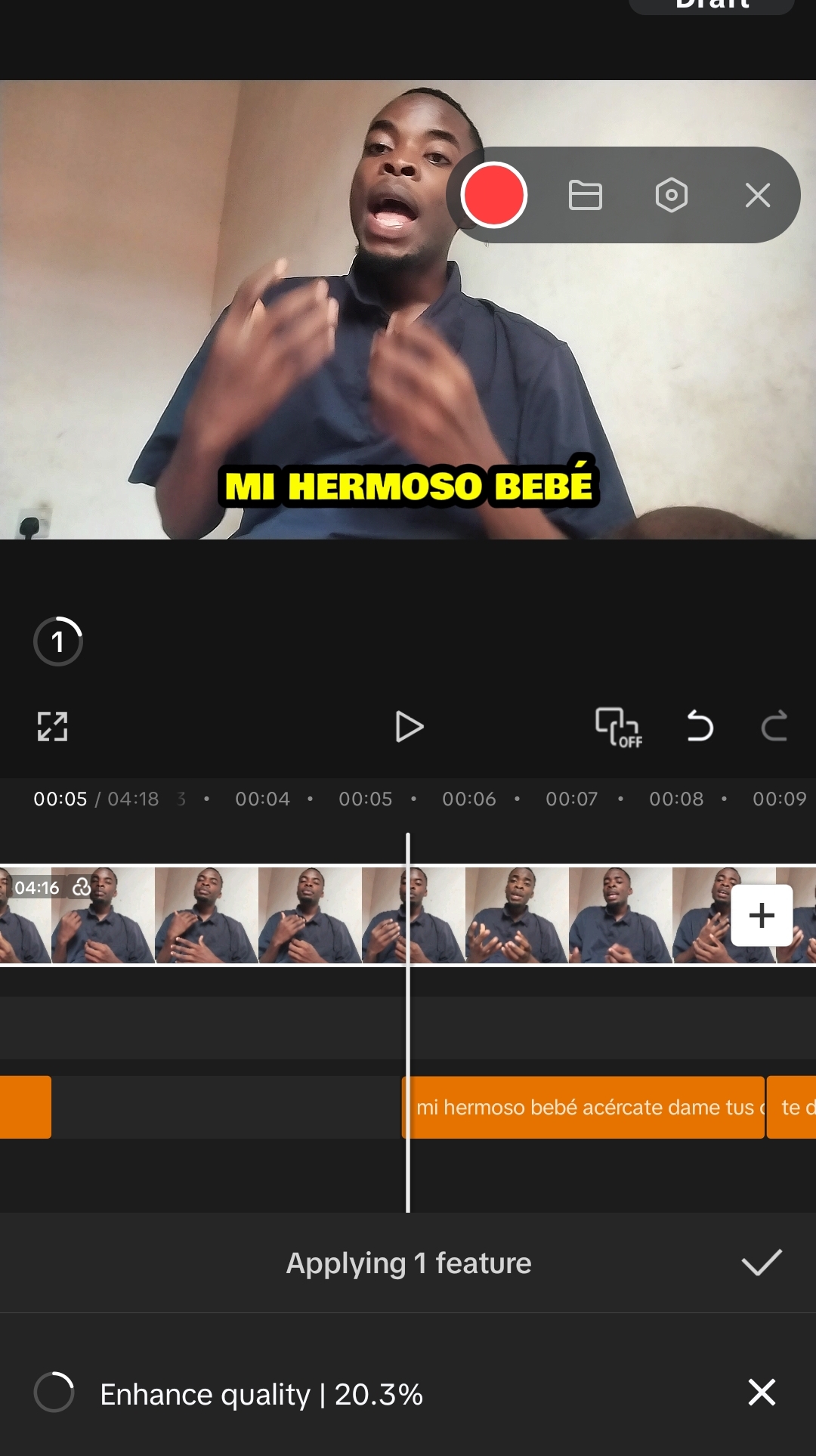
- You're able to use auto captions which makes it possible to translate to other languages.
- You're able to use the Video quality feature which enables you improve the clarity of your videos
- Noise removal and voice isolation are available too
- You can export in 1080p and there'll be no Capcut watermark in your video
- You also get to use some appealing effects in your video
How to use the Capcut pro version for free |
|---|
All you need to do is click on the link below and download the APK file. You'll need to delete your current Capcut version before it works.
This is the link to the APK file.
https://liteapks.com/download/capcut-311After downloading the file, click on the file and install it as an app. Then open the app and follow the tutorials below.
This video tutorial is essentially for those who are singing in the voice of Steemit singing competition, but you can learn a few things from the tutorial.
Basic Video Editing for a song Performance |
|---|
To make your entry a unique one and also make an outstanding video on speem that'll attract curators, you need to follow these video editing steps and watch the complete tutorial in the video below.
Step1: Open the Capcut you downloaded and sign in. Just follow whatever you're told to follow and answer whatever questions that's presented to you.
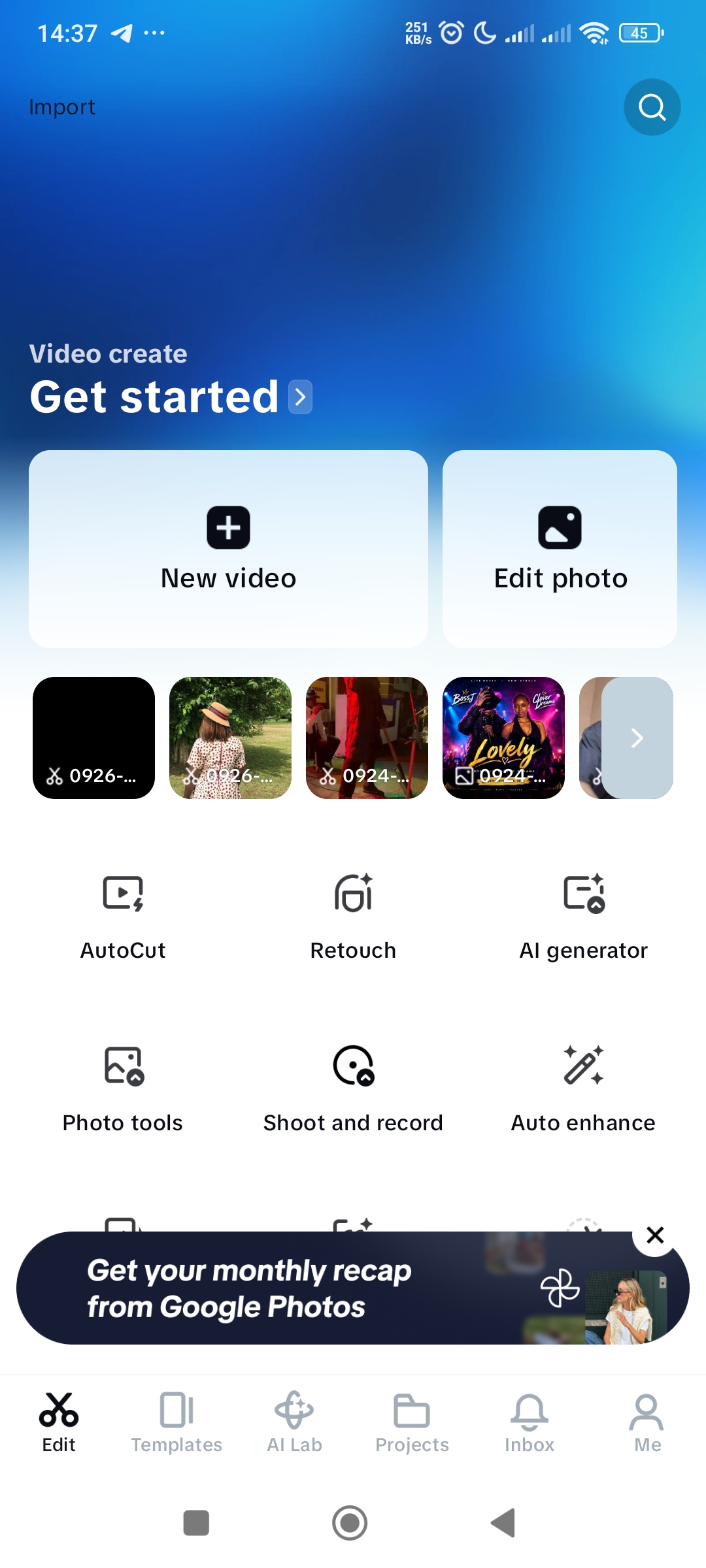
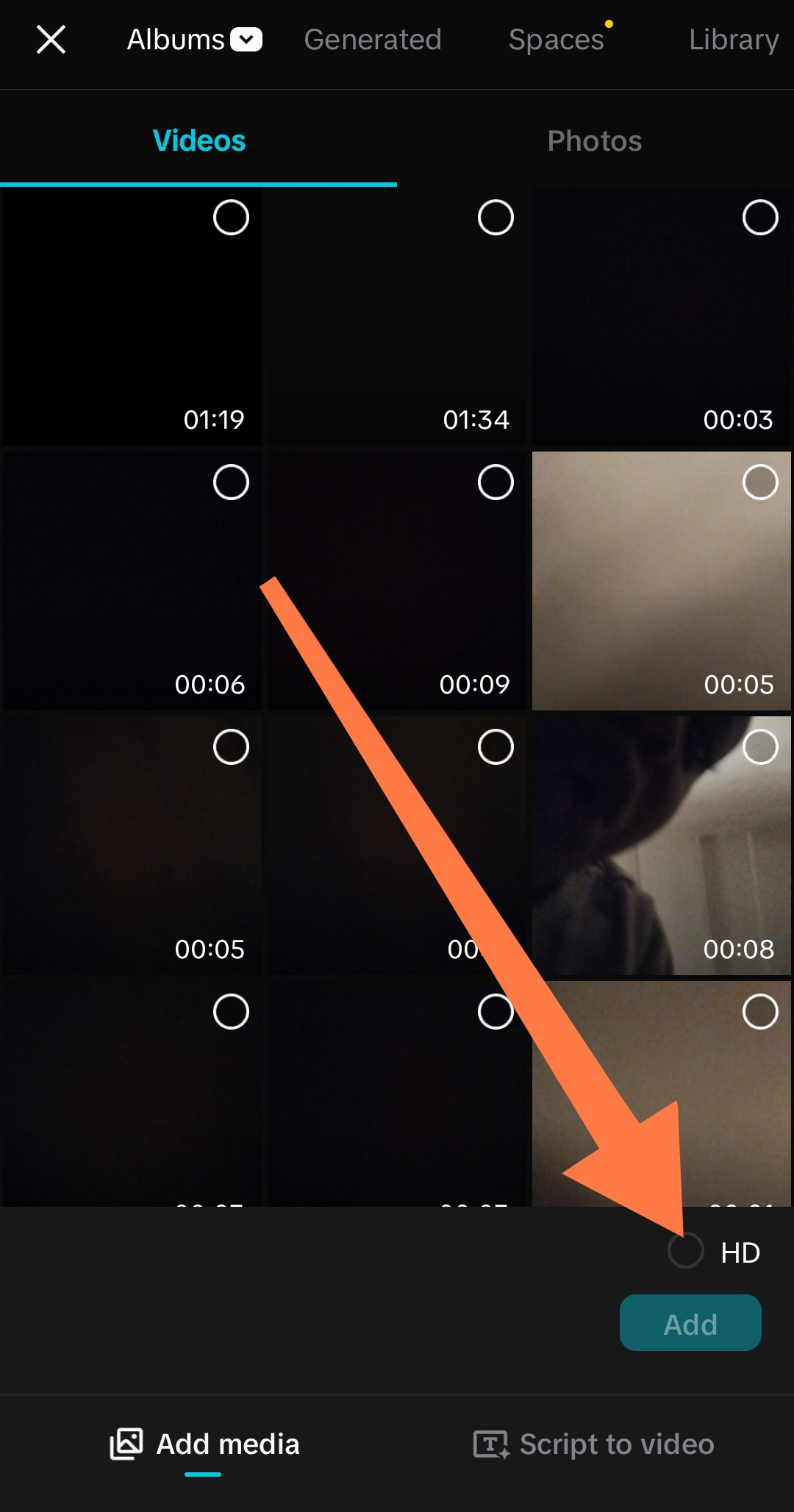
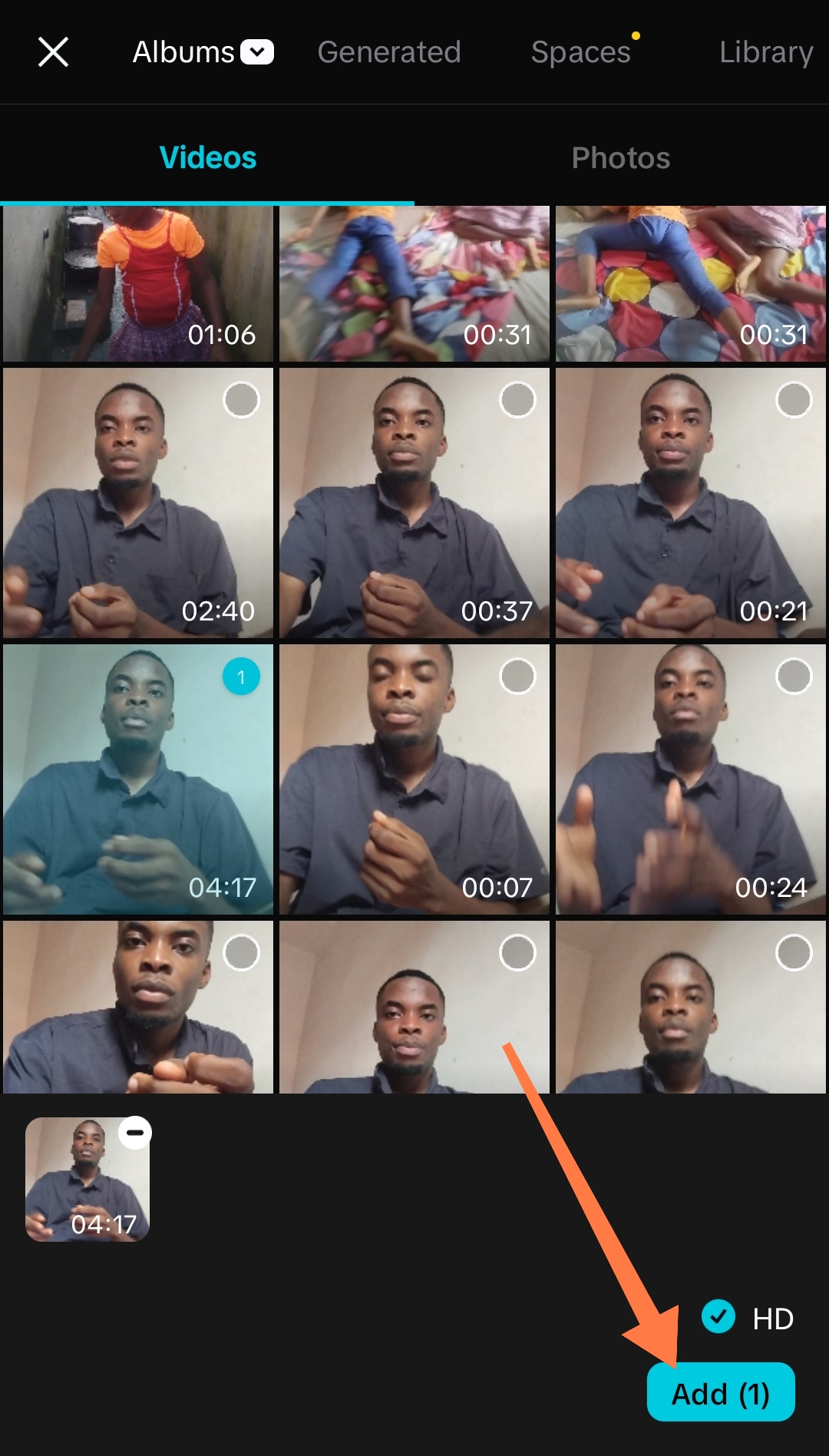
Once the landing page opens, click on New Video. This will take you to your album where you can select the video you want to edit. Once you select the video, don't just click on Add immediately. Wait and click on the HD button before clicking on Add. Clicking the HD button helps keep and improve the quality of the video you want to edit.
 |  |  |
|---|
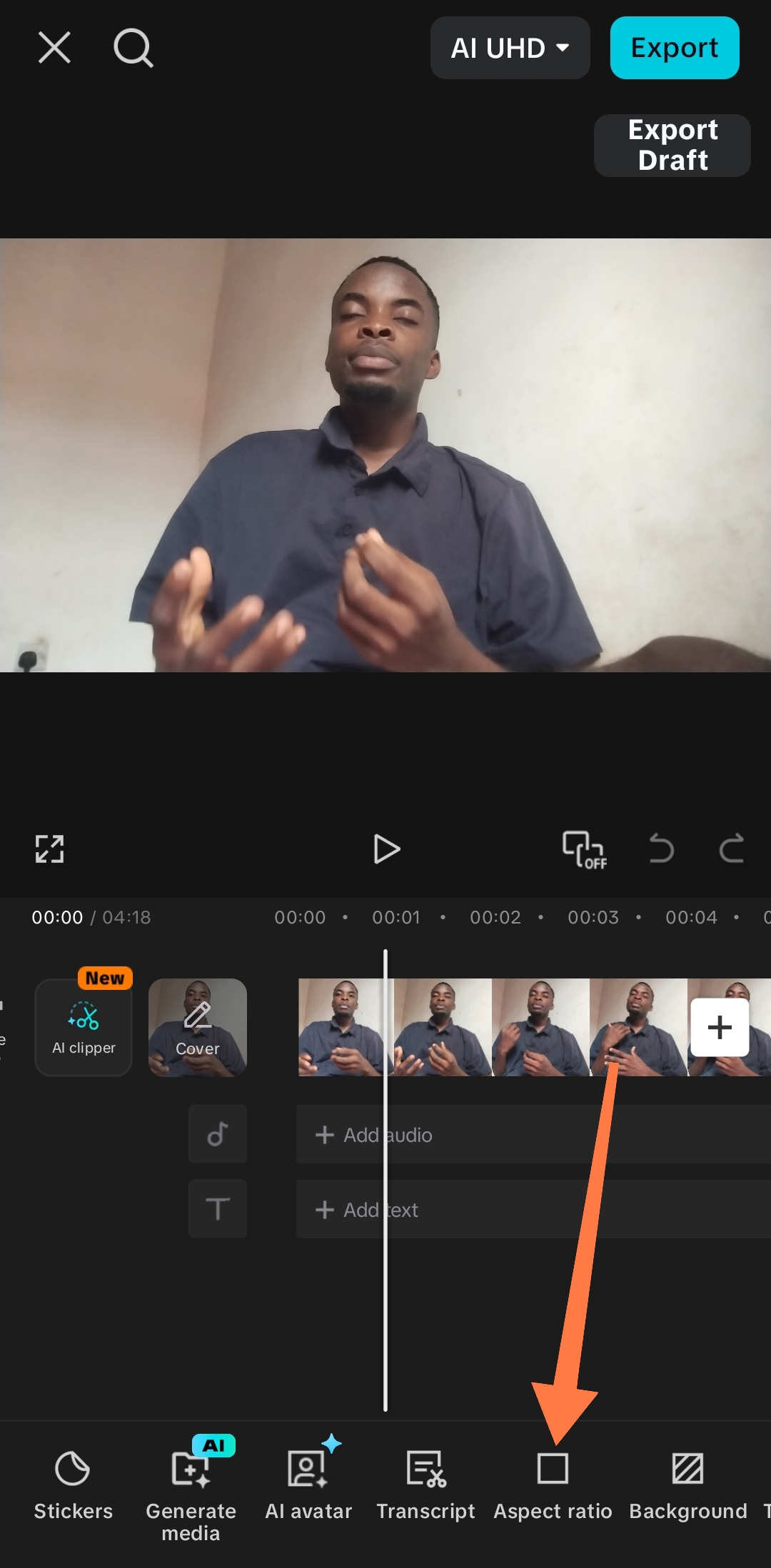
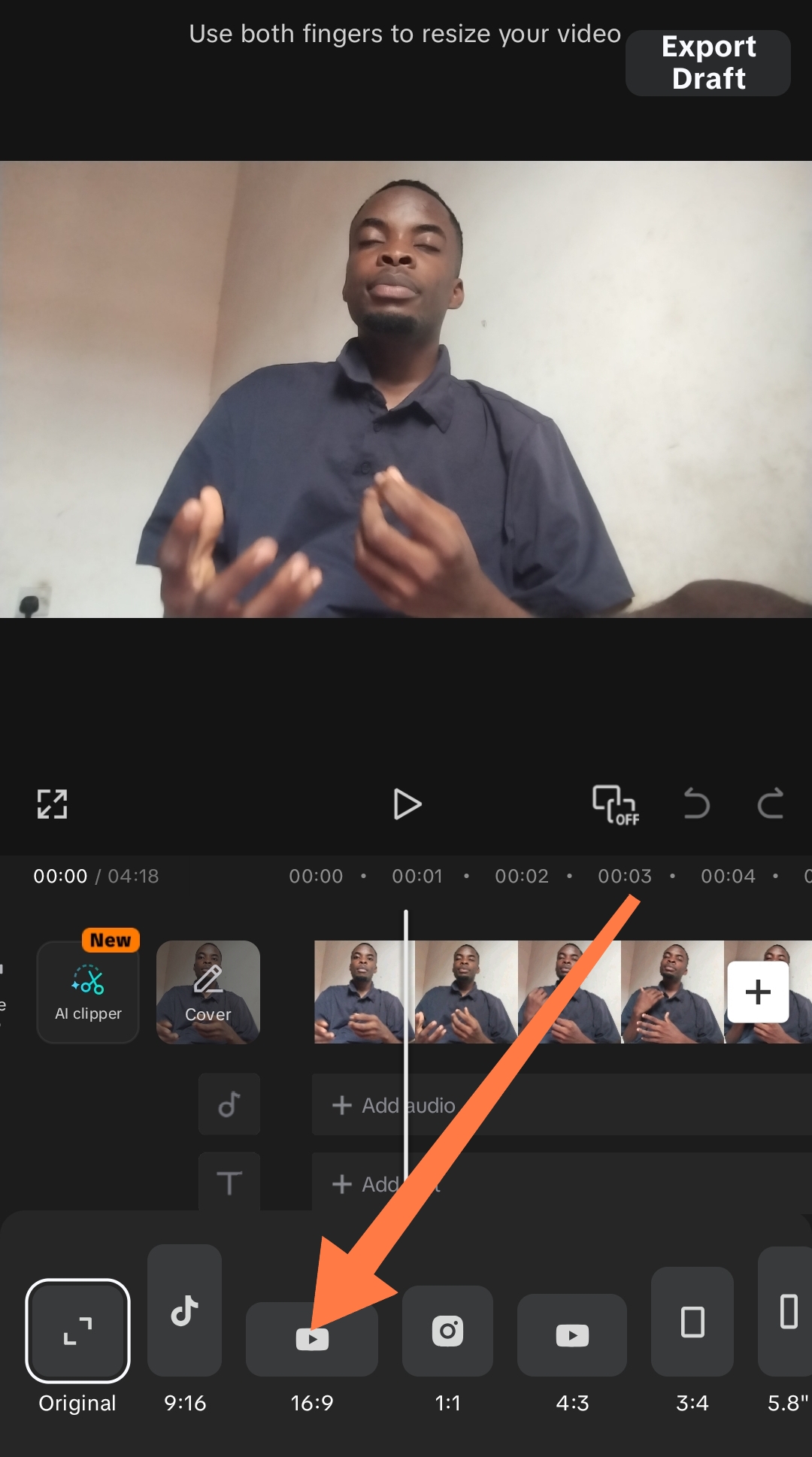
- Once you are in the editing page, there are certain things you must do first before you proceed to complex editing. There's a feature called Aspect Ratio. This feature helps align your video in the normal format it should be. For the contestants, it would be best if you use landscape when shooting your video.
 |  |  |
|---|
Once you've located the aspect ratio, you click on it and select the 16.9 format and set it.
Watch the video for the remaining tutorials.
As you're watching, take note of the important features to use in editing your videos.
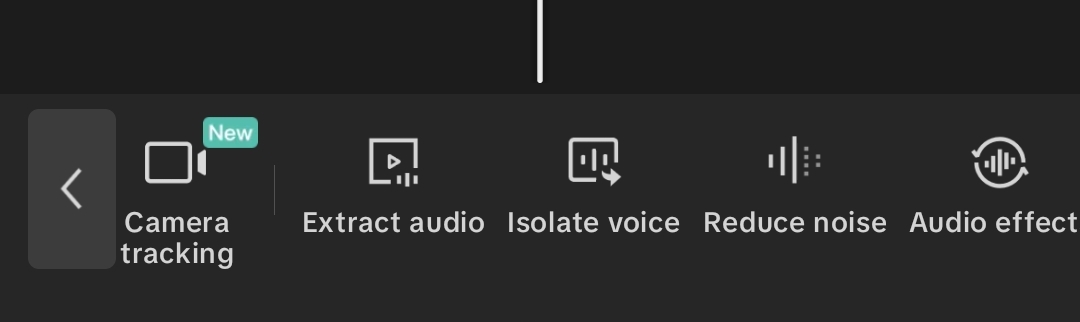
- Aspect ratio
- Volume
- Reduce Noise
- Split
- Video quality
- Captions
- Text
- Audio effect
- Animations if necessary
And many others. This is the video below. 👇🏽👇🏽
Exporting videos |
|---|
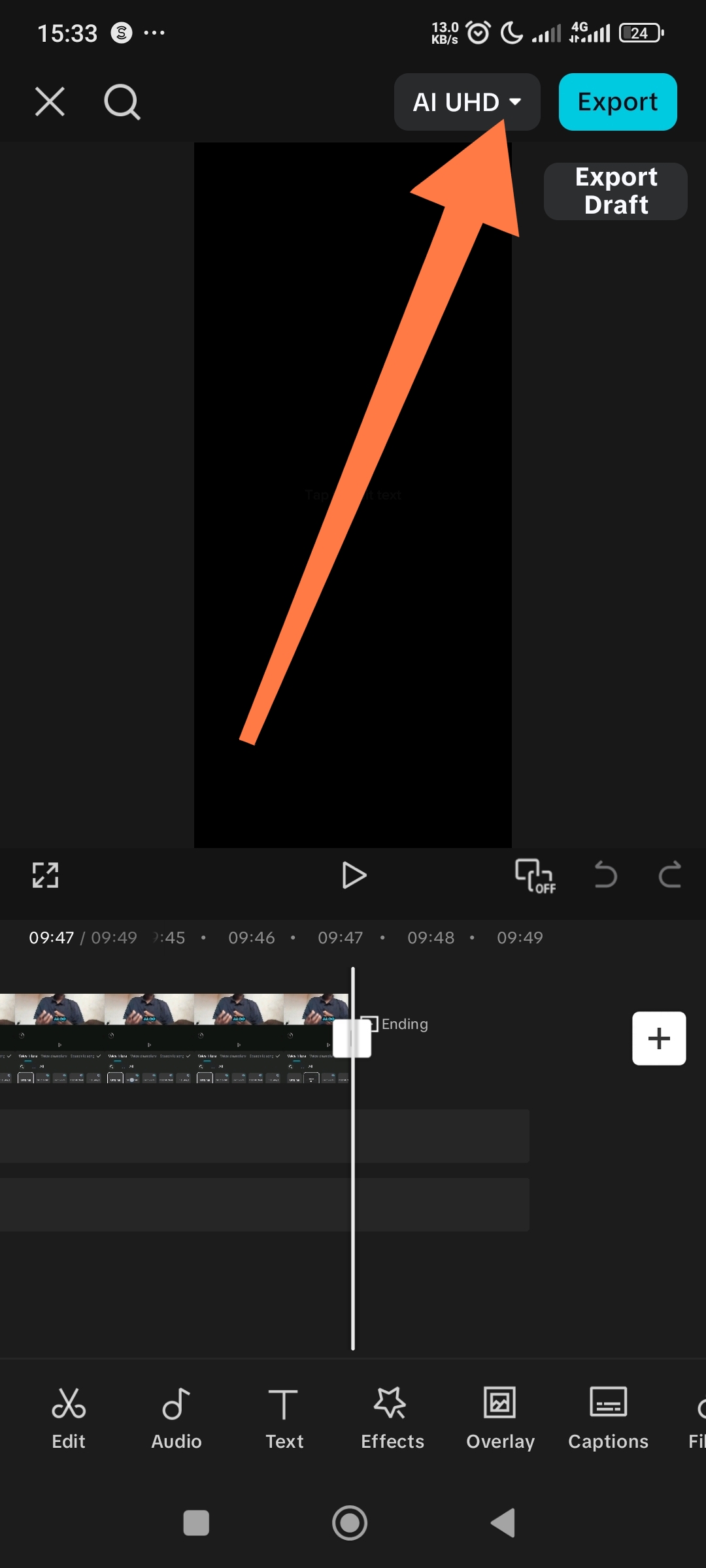
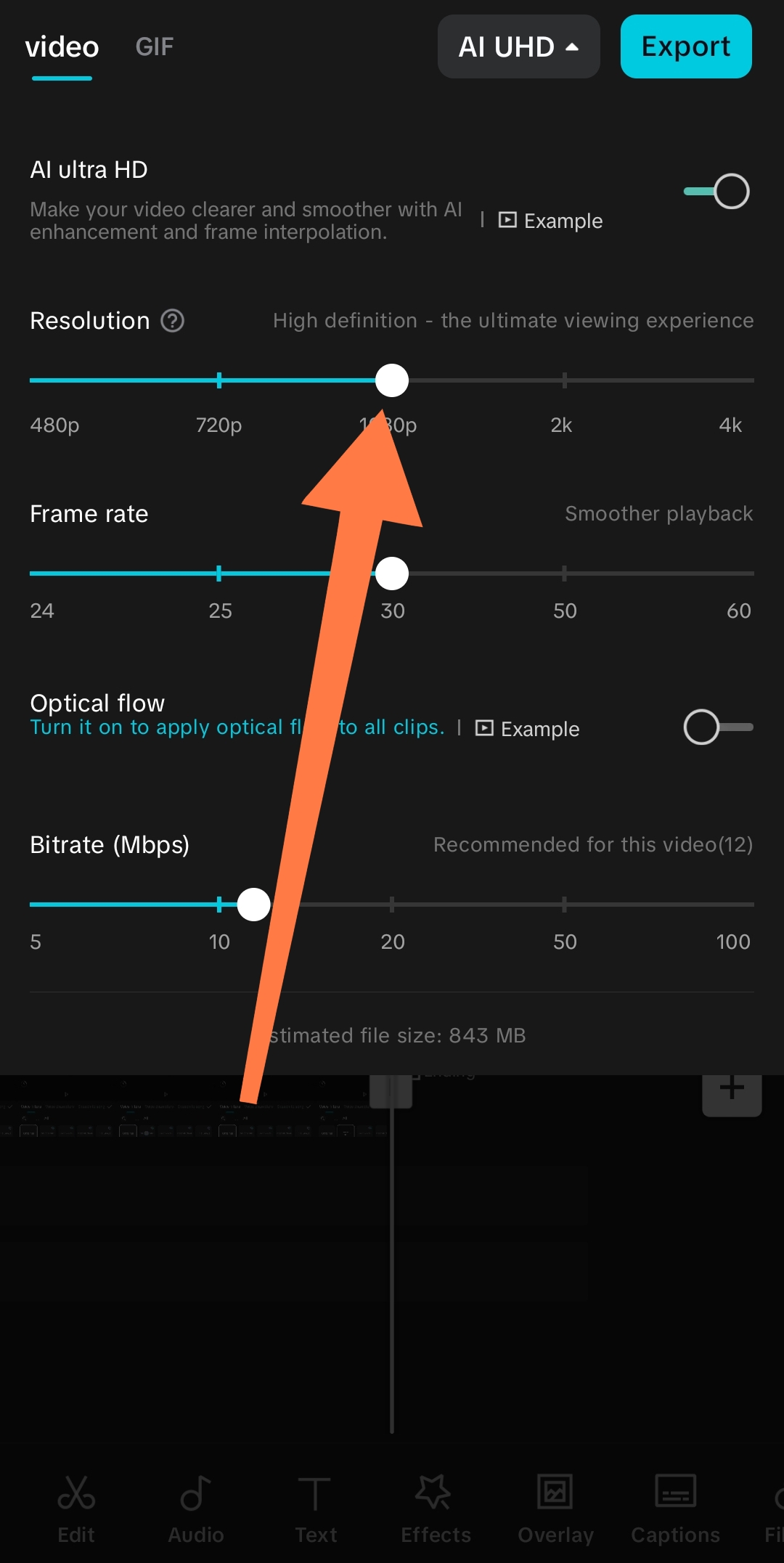
- Click on the Ai UHD to set your video to either 1080p or 4k.
- After that, you export it.
 |  |
|---|
Video tutorial Below |
|---|
Posted with Speem
Wow! I have watched this again and again. Thank you for spending time and data to bring this educative update. This free pro capcutz, does it has limited features or it is a total package?
Once again, I appreciate because someone can pick up this lesson and become a pro editor.
#S34engagement
It's a total package Boss. It comes with captions too, captions in other languages 🔥🔥
Waw..... Thanks for sharing.
I benefit Wella from this
Good. 🔥🔥🔥
High-Yield Curation by @steem-seven
Your content has been supported!
| Vote Witness @seven.wit | Meet Speak on Steem |
|---|---|---|
We are the hope!