How to convert part of an Excel sheet into an image ready for Steemit

Image Source
In a recent post of mine I was asked about how you can convert data to be published in Steemit in a "box" format.
"I love your presentation especially how you created those box can you please teach me."
When I started with my curating reports I was also curious and could not find any editorial on Steemit. There was also no quick and easy way in the styling guide.
@joyful22 – This one is for you.
My favourite flower is a daisy.
Not only are daisies well known as flowers but also as for playing a love game. Those “He loves me. He loves me not” we use to say while we picking the petals of a daisy one by one.
Daisies can we be used for so many other things beside the love game.
I am going to share some information about daisies which I am then going to put into a "box" format.

Step 1 - Setting up your data in Excel |
|---|
Did you know?
- Daisies are tough plants - YES
- Daisy means “day’s eye” - NO
- Daisies opens at dawn and open at dusk - YES
- Daisies come in different colours - YES
- Daisies are two plants in one - YES
- Daisies have nutritional benefits - NO
- Daisies have medicinal benefits- NO
- You can make tea from daisies- NO
Let's put this data into an Excel format so that it is ready to be saved as a JPEG extension later on.
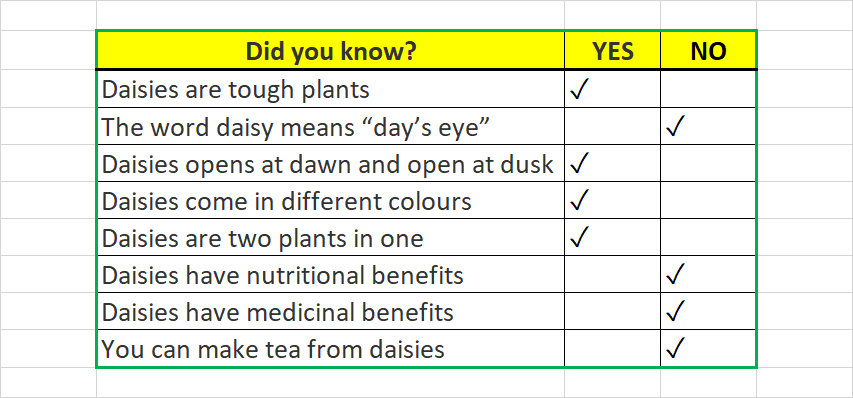
The data in Excel
Step 2 – Converting the Excel data as a PNG extension file |
|---|
For you to convert your data into an image from Excel you need to create a screenshot. A screenshot is an image of what is displayed on the screen of your computer.
When you create this screenshot it will automatically create an image or PNG file.
A PNG file is a type of an image file and stands for “Portable Network Graphic”.
Depending on your keyboard and operating system there are five main shortcut ways from which you can make a screenshot.
1. PrtScn button only
2. Windows Logo Key + PrtScn button
3. Alt + PrtScn
4. Win + Alt + PrtScn button together
5. PrtScn + Fn
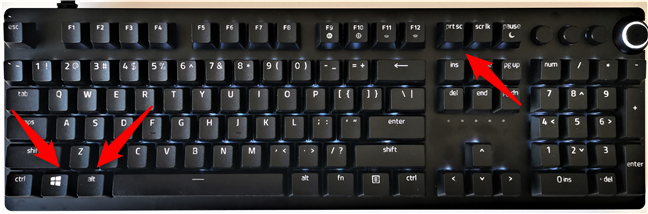
Image Source
Of importance is that you will also find different abbreviations of the "Print Screen" key on different computers. It can be anything from PrtScn, PrtSc, PrntScn and others.
On my keyboard I can just use the “Prt Sc button”.
Once I have made a screenshot it will look as follows and is now a PGN file.
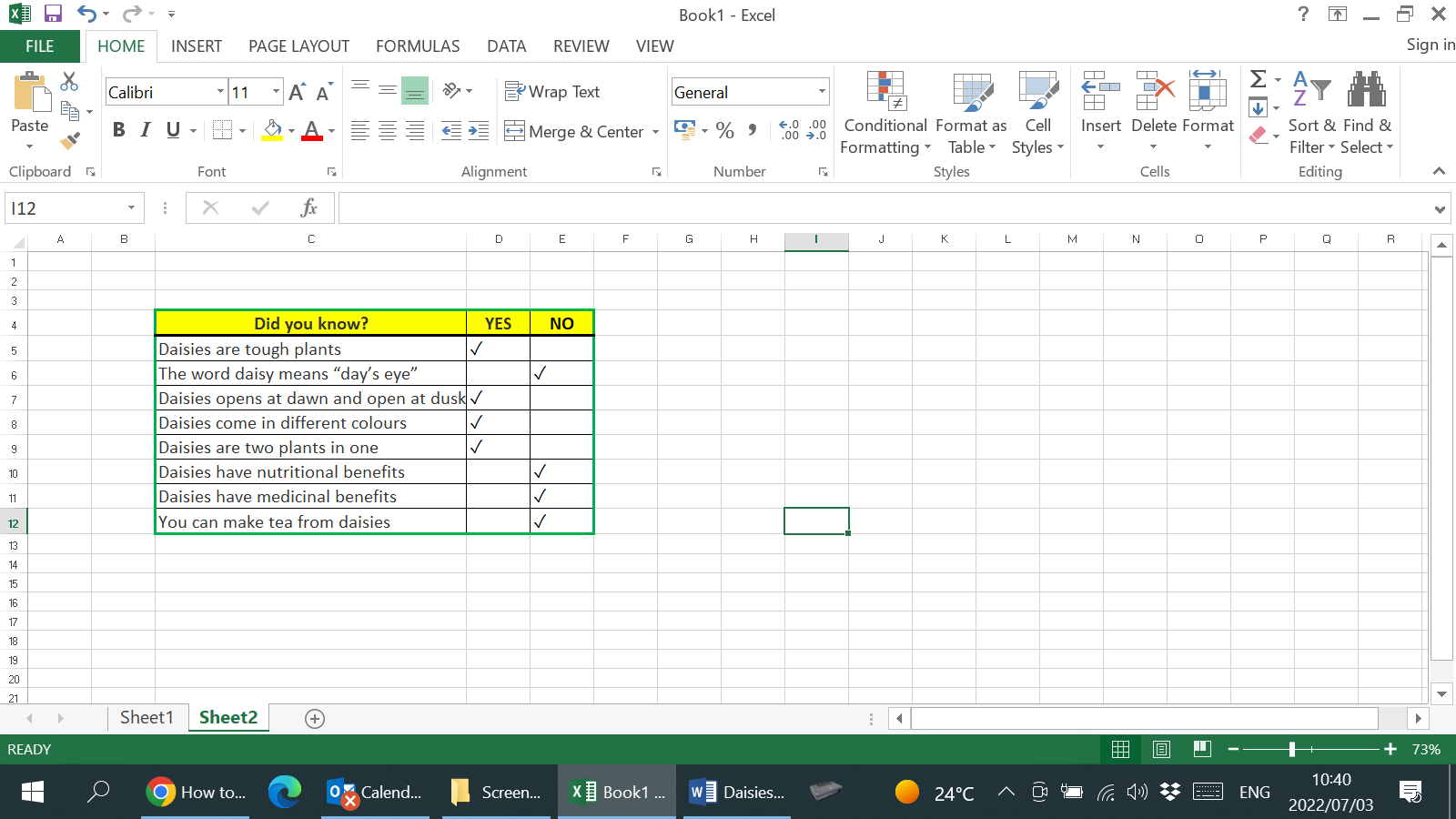
A screenshot of my Excel data
I now have my data in a PNG file. What remains is to edit your file and to covert it into the correct format to be used in Steemit.
Step 3 – Converting your PNG file to an JPEG file |
|---|
There are numerous applications which you can use to edit your PNG file. I like to use Microsoft Paint as it is extremely easy to use and comes as part of the Windows installation.
After opening the application I will paste my PGN file in Paint.
You can do it in two ways;
1. Using the shortcut for paste Ctrl+V
2. Using the paste function in Paint
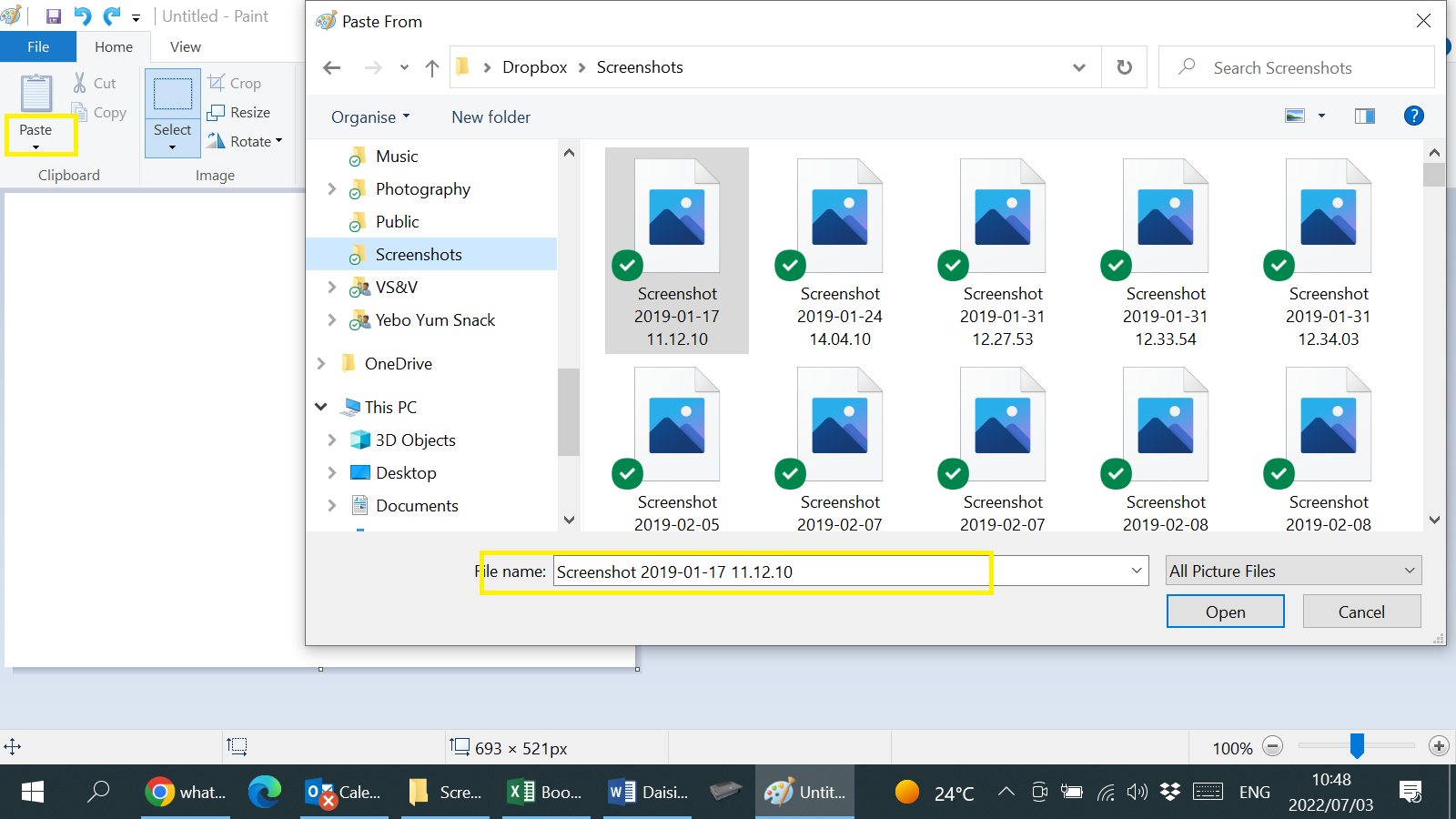
Pasting a file in Paint
Once the files is in Paint you can now move it around and crop it to your liking.
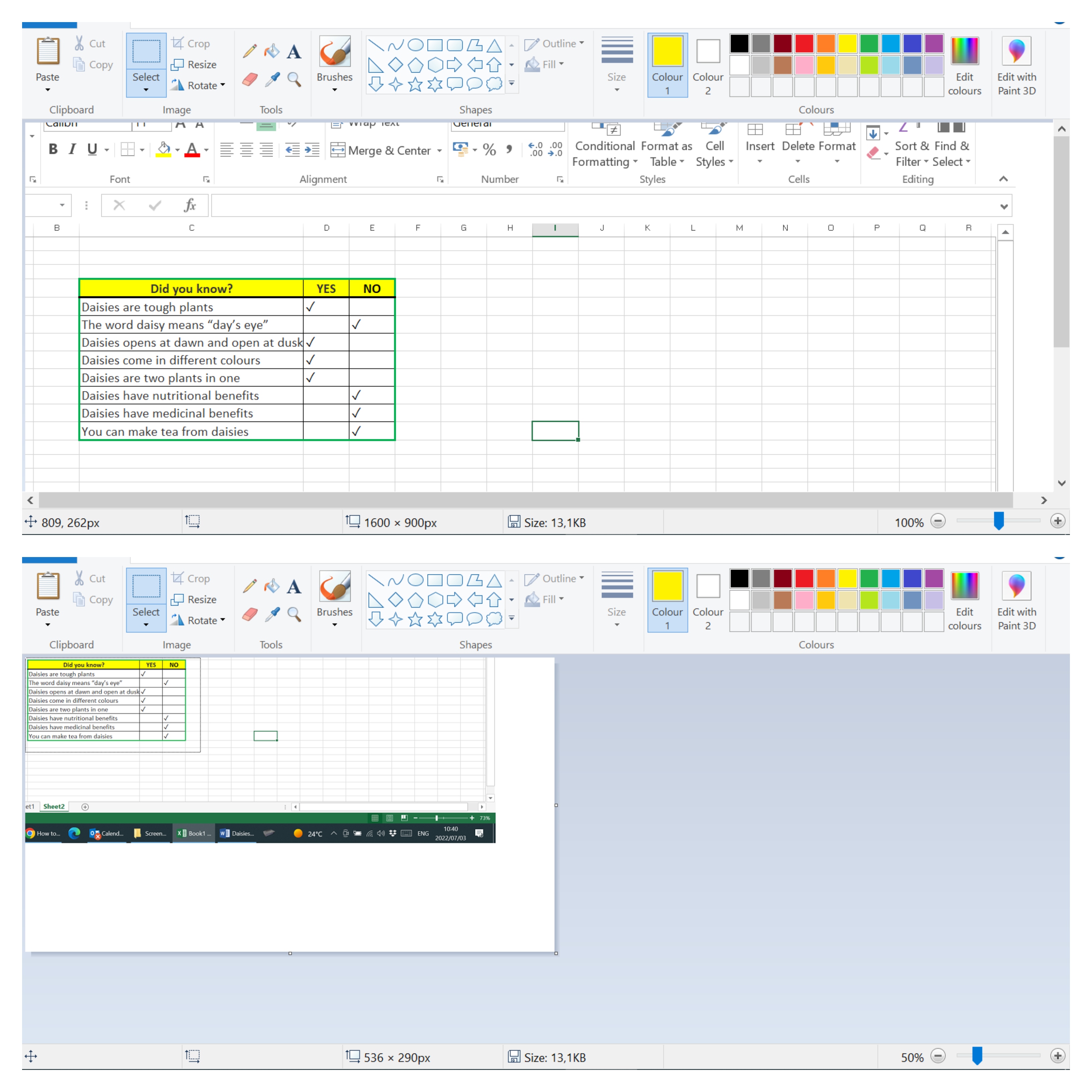
Moving and cropping in Paint
You now have to save the file. By doing this it will automatically save it as a JPEG file.
The only thing remaining now is to put it to the test.
Remember those questions and answers about daisies? It will now look as follows;
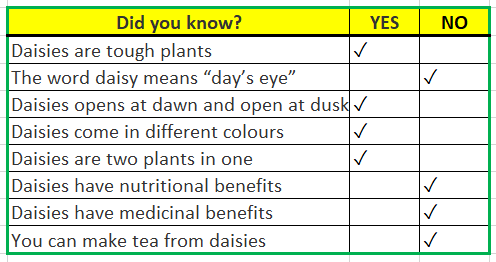
The end result, the perfect box!
And that my dear friends is how I discovered that there are so much more to daisies while I was teaching you how to covert part of an Excel sheet into an image ready for Steemit.
Enjoy!
10% To SteemWomensClub
If you select the desired cells in Excel and copy (ctrl+c) those and paste(ctrl+v) into Steemit editor, those will be pasted as an image.
We tried it previously, 3 months ago, and it would work.
Tried it now and it works perfectly!
It must have been the operator 😊
Thank you! And so we all learn on Steemit!
Other ways could be easier... Screenpresso or Flameshot are Webapps working as a edible screenshot on demand. Here on steemit you can implement not only jpeg-files. bmp, png or xcf are okay, too...
Thank you, indeed!
Wow, great content, we've shared and upvoted on @southernafrica
Ok now I understand, this will work perfectly while using a laptop, thank you for this tutorial it will go a long way in my presentation.
Pleasure! There are sone great tips shared by other Steemians on rely to my post. Make sure you don’t miss them & good luck!
I’m sure your posts will look great 👍🏻
Thank you for contributing to #LearnWithSteem theme. This post has been upvoted by @Reminiscence01 using @steemcurator09 account. We encourage you to keep publishing quality and original content in the Steemit ecosystem to earn support for your content.
Regards,
Team #Sevengers
@reminiscence01 Thank you! It is appreciated!
Wow... great content
Thank you! And thank you for reading and engaging! 🎕
I appreciate it.