Basics of Steem Blockchain (Part 41) : How to Post in Steemit
INTRO
INTROThe Tron Fan Club is a specialized community working on some specific topics. As a moderator of the community, I am regularly sharing several tutorials to help newbies. In this series of tutorials, I am trying to share the fundamental topics of Steem blockchain.
This is basic Tutorail on Steemit where I am going to share how can you post in Steemit. I shall share not only screenshots but also some related issues in this tutorial. This is for beginners only.
Step 01: Go to https://steemit.com/ or any other app like I use https://www.steempro.com/
Log in there and click on post button. You can find following interface.
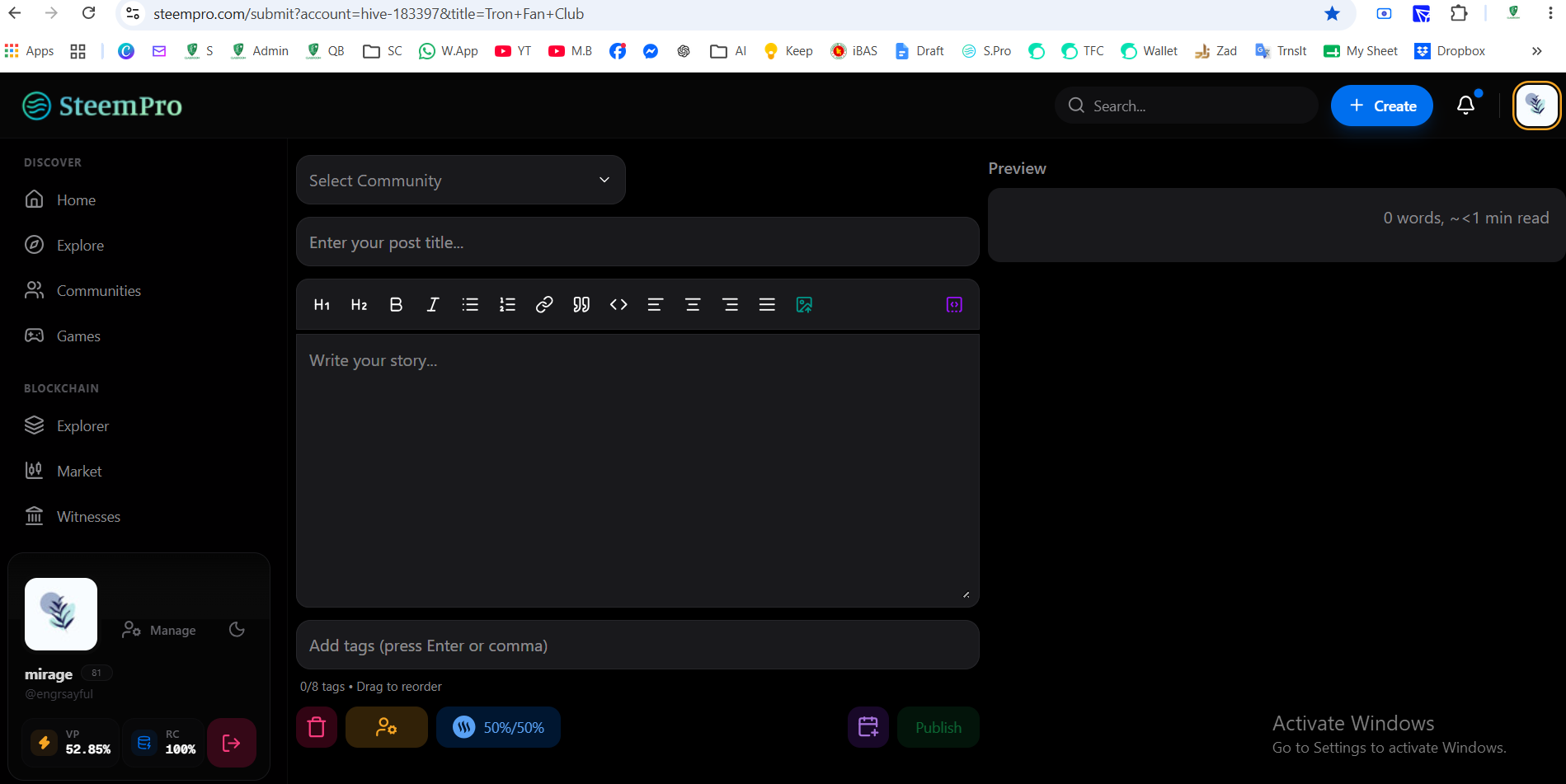
Step 02: Select Community where you would like to post. If don't select it will be posted to your blog. Add Title (less than 255 Characters)
Then Write in the body (Less than 65536 Characters)
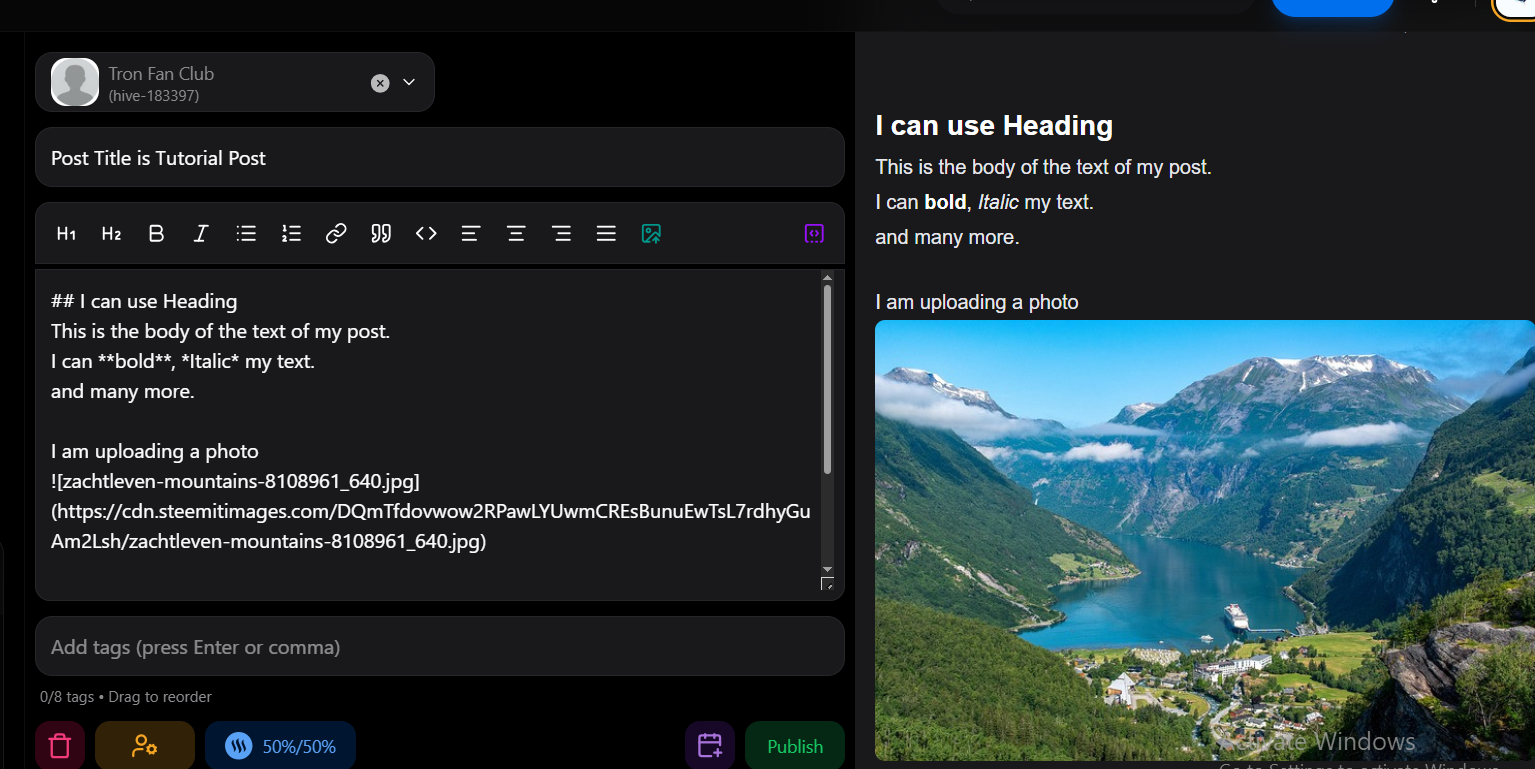
Here are some markdown formatting style which can be used like bold, italic heading. Image upload. Image size should be less than 10 MB.
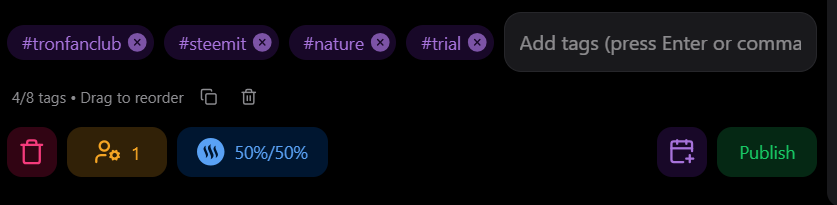
Step 03: Use tag and then comma to seperate the tags. Maximum five tags can be used. First tag is the category of the post by default. first character can not be numeric number, Upper case etc.
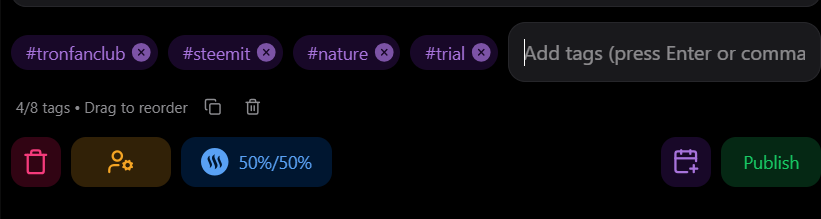
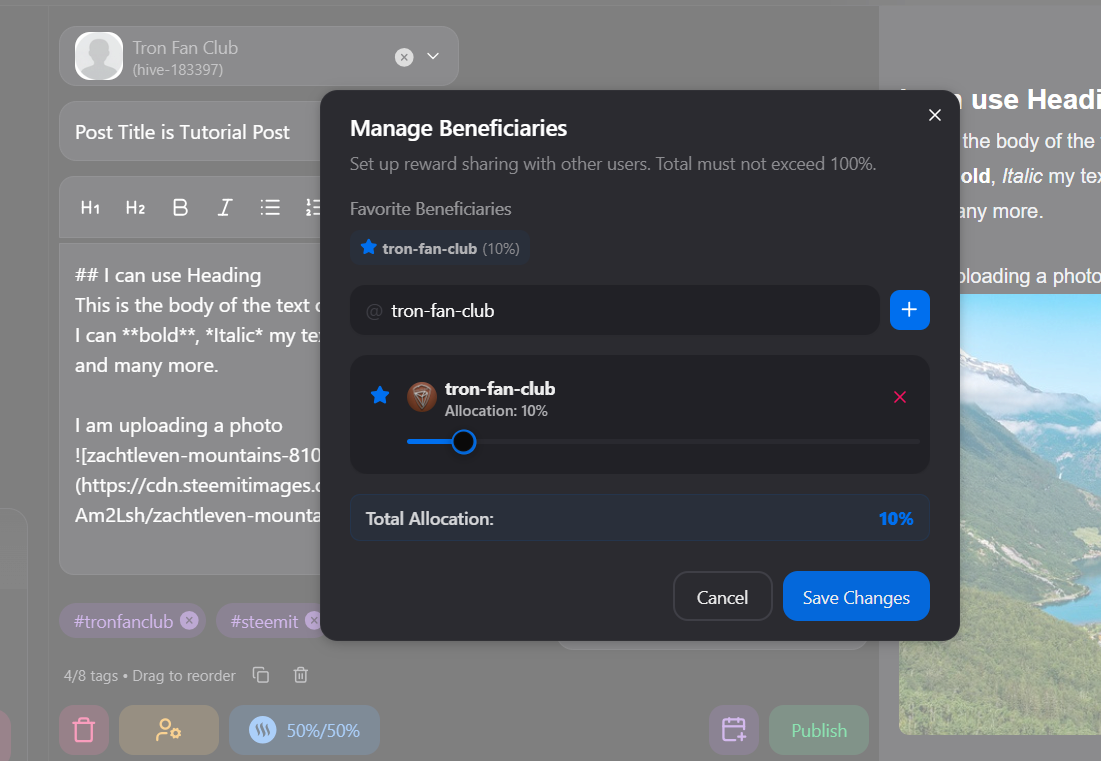
Step 04: Now you can add beneficiary by clicking the button below. Here I have added 10% for tron-fan-club as an example.
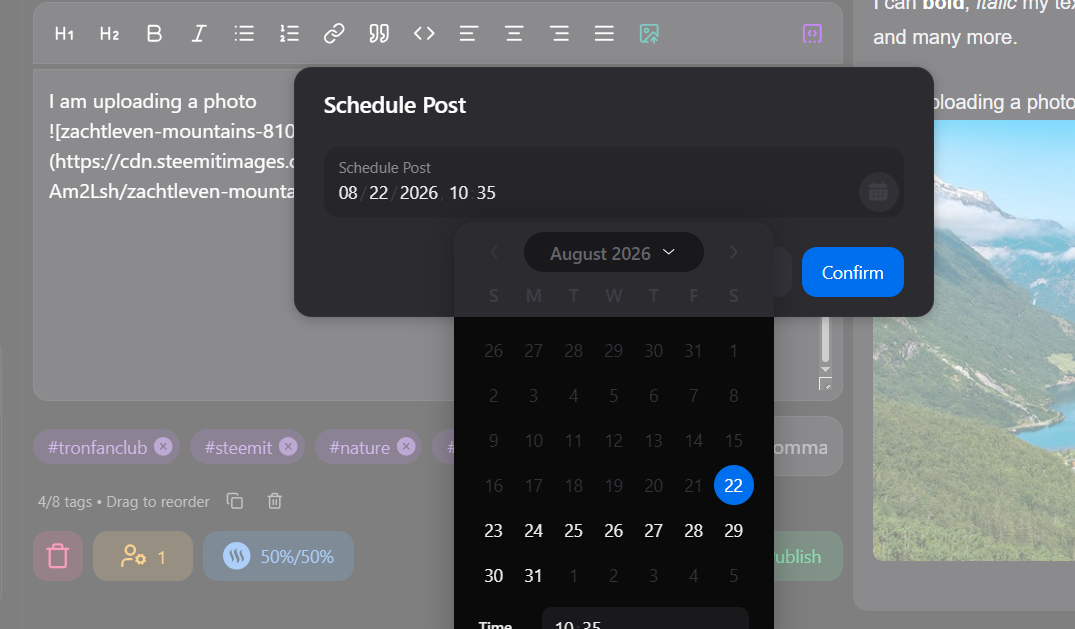
Step 05: If you use steempro then you can schedule it by clicking the button before publish and setting the time.
Step 06: If all done then recheck again and publish by clicking the button.
DISCLAIMER |
|---|
I shared similar tutorial in Bengali language in আমার বাংলা ব্লগ community. This post is not shared under Self Plagiarism but shared on this platform for educational purpose to maintain tutorial archive. Steem basic tutorial posts are for the newbies in the Tron Fan Club community who want to know about Steem Blockchain in details. You can find here the post already shared in another language.

CLICK TO JOIN IN TFC DISCORD SERVER