I Tried Using AI to Create Coloring Pages — Here’s What I Learned
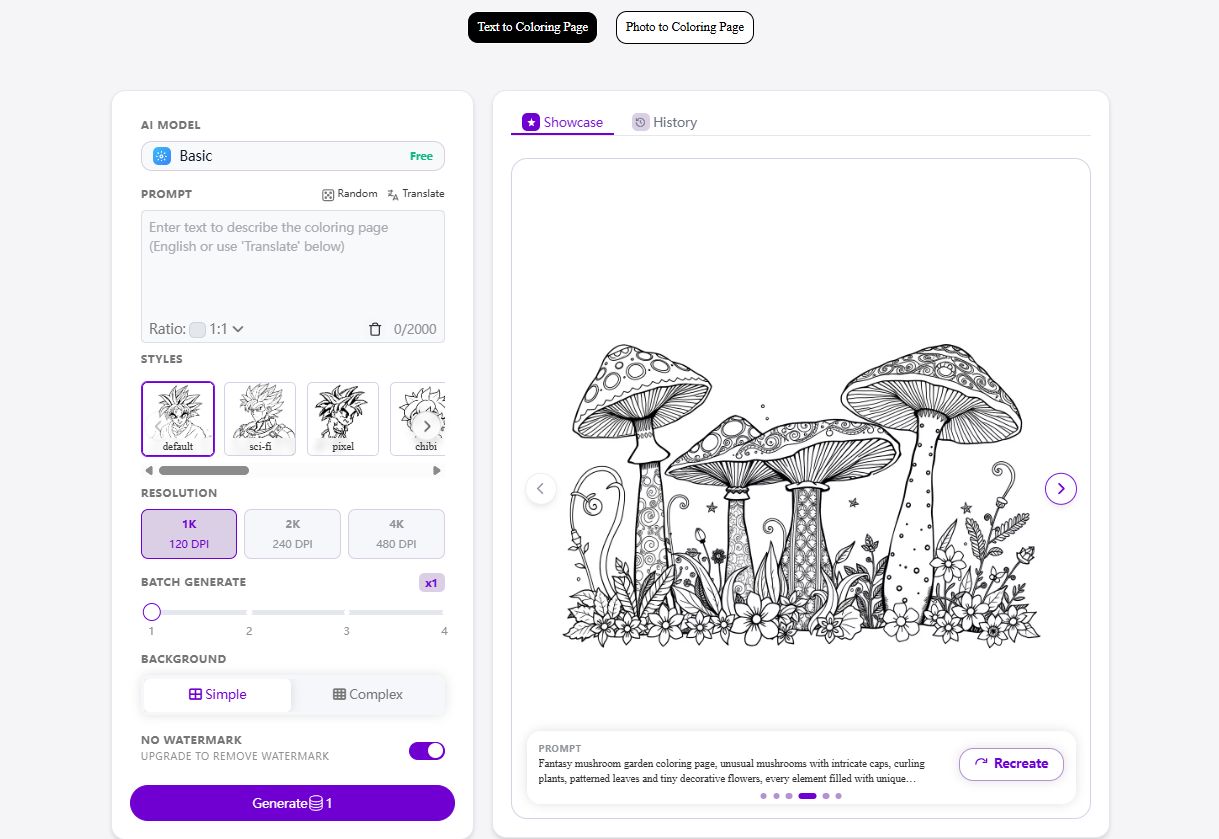
I've been experimenting with AI image generation for a while, mostly for fun. I usually make anime-style images, illustrations, or random visual ideas that come to mind.
Recently, I started wondering about something a little different:
Can AI actually make good coloring pages?
Not just black-and-white images, but drawings that are actually enjoyable to color.
So I spent some time testing different ideas and prompts, and the results were more interesting than I expected.
What Makes a Good Coloring Page?
At first, I thought creating a coloring page would be very simple.
Just generate an image and remove the colors.
But that doesn't always work very well.
A good coloring page needs relatively clean outlines, recognizable shapes, and enough empty space for someone to actually color the picture.
For example, if I generate a highly detailed fantasy castle, the AI may create hundreds of tiny details.
It can look beautiful as an illustration.
But when converted into line art, everything can become crowded.
That's not necessarily a good coloring page.
For me, the most useful prompts usually include words such as:
clean black outlines
simple line art
white background
printable coloring page
clear shapes
minimal shading
child-friendly illustration
These instructions help the image feel more like an actual coloring page instead of a normal illustration.
Text-to-Coloring-Page Experiments
One of the easiest experiments is starting completely from text.
For example:
A cute little fox sitting under a large tree, surrounded by flowers and butterflies, clean black line art, white background, printable coloring page, clear outlines, no shading.
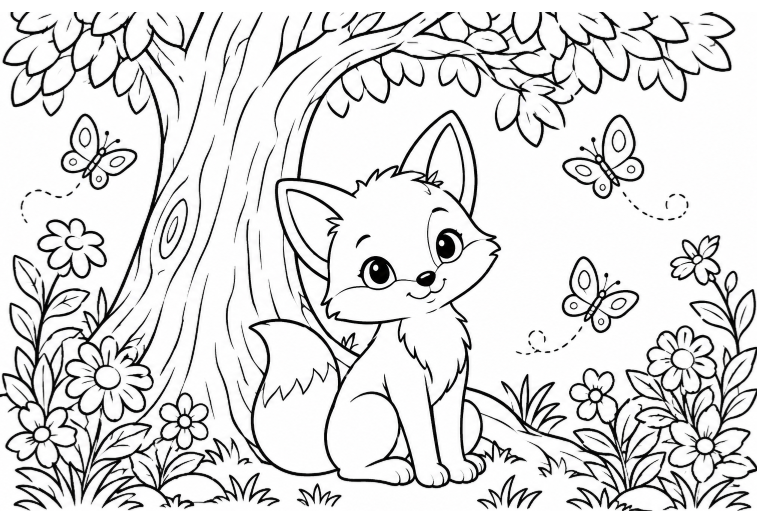
The nice thing about this approach is that you don't need to draw anything yourself.
You can start with a simple idea and gradually make it more specific.
I also found that describing the composition is useful.
Instead of simply writing:
A cute cat
I might write:
A cute cat sitting beside a window, with potted plants, small stars and clouds around it, clean black outlines, simple shapes, white background, coloring book style.
The second prompt gives the image generator much more information about what should appear in the scene.
Turning Existing Images Into Line Art
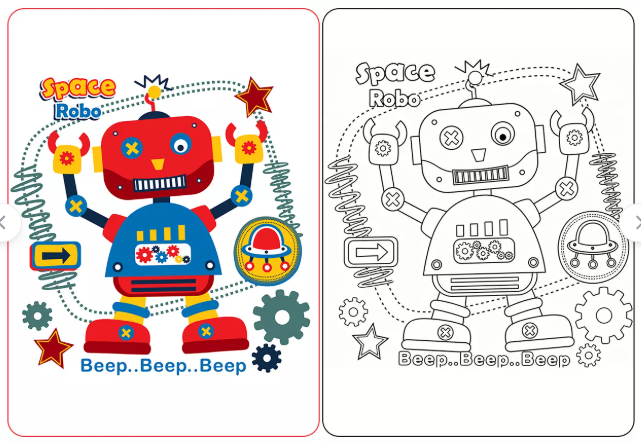
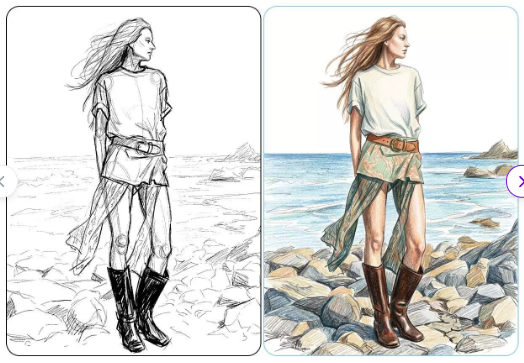
Another interesting use case is converting an existing image into something that looks like a coloring page.
This can be useful if you already have a photograph, illustration, character drawing, or other image that you want to experiment with.
For example, I tried the idea of taking an image and transforming it into clean black-and-white line art.
The goal isn't simply to make the image grayscale.
A grayscale image still contains shadows, gradients and different levels of brightness.
A coloring page is different.
Ideally, you want the important shapes to be represented by outlines, leaving larger areas blank for coloring.
I've been experimenting with this workflow using tools such as Colorify AI, especially when I want to quickly turn an idea or existing image into a coloring-page-style design.
The Fun Part: Making Themed Coloring Pages
This is probably the part I enjoyed the most.
Once you start thinking about coloring pages as a creative format rather than just children's worksheets, there are many possibilities.
For example:
Fantasy
A magical forest with mushrooms, tiny houses, butterflies and glowing flowers.
Animals
A collection of cute woodland animals having a picnic together.
Space
Astronauts, planets, rockets and friendly little robots.
Seasonal
Autumn leaves, pumpkins, Halloween decorations or winter scenes.
Japanese-Inspired
Small houses, gardens, cats, lanterns, flowers and traditional patterns.
Fantasy Characters
You can also create original characters with costumes, magical accessories and decorative backgrounds.
This is where AI becomes particularly interesting.
You don't necessarily need to know how to draw these things manually.
You mainly need an idea and a way to describe it.
Prompt Structure Matters More Than I Expected
One thing I noticed during my experiments is that adding more words doesn't automatically produce better results.
A very long prompt can sometimes make the image more complicated than necessary.
For coloring pages, I usually think about prompts in four parts:
Subject + Environment + Style + Technical Requirements
For example:
A small rabbit reading a book in a cozy garden, surrounded by flowers and mushrooms, cute children's coloring page, clean black outlines, white background, simple shapes, no grayscale, no shadows.
The first part describes what we're creating.
The second establishes the scene.
The third defines the visual style.
The final part tells the AI what the finished coloring page should look like.
This structure is simple enough for beginners but still gives the image generator useful information.
AI Doesn't Replace Creativity
This is probably the biggest thing I took away from the experiment.
AI can generate the image, but the idea still comes from the person using it.
For example, AI can create a forest.
But deciding that the forest should contain a tiny tea party between rabbits, birds and a fox is still a creative decision.
The same applies to coloring pages.
The technology makes image creation easier, but the interesting part is deciding what you want to create.
Sometimes my first generation looks good but doesn't feel right.
Instead of giving up, I'll change the subject, simplify the background, remove unnecessary details or change the composition.
That process is actually quite fun.
Coloring Pages Aren't Just for Kids
Before experimenting with AI coloring pages, I mostly associated them with children's activities.
But there are plenty of other possibilities.
Adults can use coloring pages as a relaxing creative activity.
Artists can use them as references.
Teachers can create simple educational materials.
Parents can make personalized activities for children.
And people who simply enjoy drawing can use AI-generated line art as a starting point.
I also think they could work well for journals and planners.
For example, you could create a small seasonal illustration and print it as part of a handmade journal.
That makes the process feel much more personal than simply downloading a random coloring sheet from the internet.
Some Things I Would Do Differently
AI-generated coloring pages aren't perfect.
Sometimes the outlines are messy.
Sometimes objects overlap in strange ways.
Small details can become confusing.
Hands and faces can also require additional attention when people or characters are involved.
So I wouldn't treat the first generated image as the final product.
I'd usually generate several variations and choose the one with the clearest composition.
If necessary, I would also simplify the prompt.
This was slightly surprising to me.
When creating normal AI illustrations, adding more visual details can sometimes make the result more interesting.
For coloring pages, however, simplicity can actually be an advantage.
Final Thoughts
After experimenting with AI coloring pages, I think the most interesting part isn't simply the ability to generate an image.
It's how easy it has become to turn a small idea into something tangible.
You can start with something as simple as:
"A cat reading a book."
Then turn that into a complete scene with a room, plants, windows, bookshelves and decorations.
And eventually, you can transform the concept into a printable coloring page.
I'm still experimenting with different styles and prompts, but I can already see why this type of AI image generation could be useful for hobby projects, educational activities, journals and creative experiments.
For me, the best approach is not to expect AI to do everything perfectly.
Instead, I treat it like a creative assistant.
I provide the idea, experiment with the prompt, choose the useful results and refine them.
That's where the process becomes genuinely interesting.