Understanding Image Conversion: How to Convert Images Between Different Formats Online
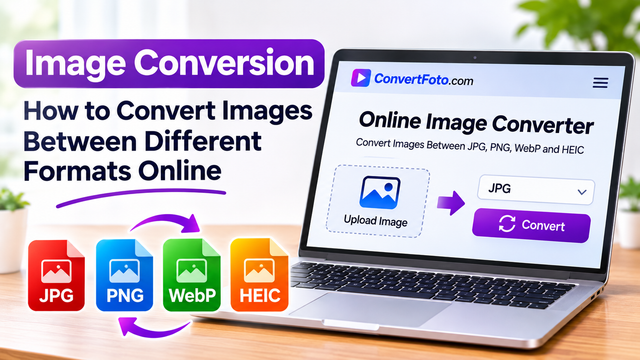
Images are an essential part of modern digital communication, appearing everywhere from websites and social media platforms to online shops, business presentations, and personal photo collections. However, not every image format is suitable for every purpose. A photograph that looks excellent on a smartphone may be difficult to upload to a website, while a transparent graphic created for a design project may not display correctly in a format that does not support transparency. This is why Image Conversion has become an important part of everyday digital file management. Converting images between formats such as JPG, JPEG, PNG, WebP, and HEIC allows users to improve compatibility, manage file sizes, and prepare visual content for different applications. With browser based tools, users can now explore image conversion options without necessarily installing complicated desktop software.
What Is Image Conversion and Why Does It Matter?
Image conversion is the process of changing a digital image from one file format into another. Each image format uses a different method of storing visual information, which affects file size, image quality, transparency, and compatibility. For example, a photograph saved in HEIC format may need to be converted into JPG before it can be used in an application that does not support Apple's image format. Similarly, a PNG graphic may be converted into WebP to help reduce its file size for website use.
The importance of image conversion becomes particularly clear when working across different devices and platforms. Photographers may need to prepare images for clients, website owners may want to optimise product photographs, and graphic designers may require transparent images for creative projects. Social media users also encounter situations where a particular platform recommends or supports certain image formats. Having access to a suitable image converter makes these tasks easier by allowing users to prepare files according to their specific requirements. Rather than keeping multiple versions of incompatible images, users can create formats that better suit their intended purpose.
Understanding the Most Popular Image Formats
Choosing the right image format is an important part of managing digital photographs and graphics. JPG, also known as JPEG, is one of the most widely supported image formats. It uses lossy compression, which reduces file size by removing some visual information. This makes JPG particularly suitable for photographs, website images, and everyday digital sharing. Its broad compatibility means that JPG files can generally be opened on computers, smartphones, tablets, and most image editing applications. However, repeatedly saving a JPG image with lossy compression can gradually reduce its visual quality.
PNG is another widely used format, particularly for graphics that require transparency. Unlike JPG, PNG supports lossless compression, allowing image information to be preserved during compression. This makes it useful for logos, illustrations, screenshots, icons, and design elements where sharp edges or transparent backgrounds are important. The main disadvantage is that PNG files can be larger than comparable JPG or WebP images, especially when dealing with detailed photographs. Choosing between JPG and PNG therefore depends on the type of image and how it will be used.
WebP is a modern image format developed by Google that supports both lossy and lossless compression. It can provide smaller file sizes than traditional formats in many situations while maintaining suitable visual quality. This makes WebP particularly useful for websites, online stores, blogs, and digital platforms where loading speed and image performance matter. HEIC, on the other hand, is commonly associated with photographs captured on Apple devices. It uses advanced compression to store high quality images efficiently, but compatibility can vary depending on the operating system and application. Understanding these differences helps users select the most appropriate format for their requirements.
How to Convert Images Online Without Installing Software
An Online Image Converter provides a convenient way to change image formats through a web browser. Instead of downloading specialised desktop applications, users can access a compatible website and follow its available conversion instructions. The general process usually involves selecting an image from a computer or smartphone, choosing the desired output format, and starting the conversion. Once processing is complete, the converted file can typically be downloaded to the device. The exact process depends on the website and the formats it supports.
This approach can be useful for people who regularly work with different types of images but do not require advanced photo editing software. For example, someone who receives a HEIC photograph from an iPhone user may need a JPG version to upload it to a website or share it through an application. A blogger might want to convert large PNG images into WebP to prepare them for online publishing. Similarly, a designer may need to change a JPG graphic into PNG when working with a project that requires a transparent background. Online conversion tools make these routine tasks more accessible, although users should always check the output file to ensure that the quality and appearance meet their expectations.
Common Image Conversion Tasks and Their Uses
Different image conversion requirements arise depending on the type of content being created. One common example is JPG to PNG conversion, which may be useful when a user needs a format that supports transparency or lossless storage. However, converting a JPG into PNG does not automatically restore visual information that was lost during the original compression. It simply changes the way the existing image is stored. Users should understand this distinction to avoid expecting improvements in image quality that format conversion alone cannot provide.
Another common requirement is PNG to WebP conversion. Website owners often use this approach when preparing graphics and photographs for online publishing. WebP can reduce file sizes while retaining good visual quality, depending on the image and compression settings. HEIC to JPG conversion is also popular because JPG is supported by a wide range of devices, websites, and applications. This can make sharing photographs between Apple devices and other platforms more convenient. A WebP Converter can similarly help users prepare images for applications that do not support the WebP format. Each conversion should be selected according to the intended use rather than simply choosing the smallest available file.
How Image Conversion Affects Quality and File Size
Image quality and file size are closely connected, particularly when working with compressed image formats. Lossy compression reduces the amount of information stored in an image, which can produce smaller files but may introduce visible differences when compression is excessive. JPG and lossy WebP are examples of formats that use this approach. Lossless compression, used by PNG and lossless WebP, preserves the original image information more effectively but may produce larger files. The most suitable option depends on whether the priority is visual accuracy, transparency, storage efficiency, or website performance.
Image dimensions also play an important role in file size. A photograph with very large pixel dimensions may occupy considerable storage even after conversion into another format. For website publishing, reducing unnecessary image dimensions alongside choosing an appropriate format can help create more manageable files. However, users should avoid reducing resolution excessively because this can make images appear blurry when displayed at larger sizes. Maintaining an original copy before making major changes is a useful practice, especially when working with professional photographs, business graphics, or important personal images.
Benefits of Using an Online Image Format Converter
An Image Format Converter can simplify everyday image management by allowing users to prepare files for different devices and applications. Accessibility is one of its biggest advantages because browser based tools can often be used on computers, tablets, and smartphones without requiring dedicated installation. This is particularly useful for freelancers, photographers, bloggers, digital marketers, and small business owners who regularly work with images in different formats.
Online conversion can also save time when users need to process occasional files. Rather than searching for specialised software for every conversion requirement, they can use an appropriate browser based utility. Nevertheless, not all services provide identical features. Some may restrict file sizes, limit the number of conversions, or support only selected formats. Users should also consider privacy when uploading personal or confidential photographs. Reviewing a website's security information, privacy policy, and file retention practices before uploading important images can help reduce unnecessary risks.
Choosing the Right Image Format for Your Needs
Selecting an image format should always begin with understanding where the image will be used. JPG is generally suitable for everyday photographs and broad compatibility, while PNG is useful for graphics requiring transparency or lossless storage. WebP can be a practical choice for website images where efficient file sizes are important, while HEIC is useful for storing photographs efficiently on supported Apple devices. No single format is ideal for every situation, and the best choice depends on the balance between image quality, compatibility, file size, and intended use.
For example, an online shop may prefer WebP for product photographs to help manage website image sizes, while a graphic designer may choose PNG for a logo with a transparent background. Someone sharing photographs with people using different devices may prefer JPG because of its widespread compatibility. Considering these requirements before converting files can prevent unnecessary quality loss and reduce compatibility problems.
Final Thoughts
Image conversion plays an important role in modern digital file management, helping people prepare photographs and graphics for websites, social media, business projects, and everyday sharing. Understanding the differences between JPG, JPEG, PNG, WebP, and HEIC makes it easier to choose the right format for each situation. Whether the goal is to improve compatibility, reduce file size, preserve transparency, or prepare images for online publishing, selecting an appropriate conversion method can make a meaningful difference. Users should always consider image quality, file dimensions, privacy, and the intended application before converting important files. For those looking for convenient browser based solutions, ConvertFoto offers online image conversion and other file management utilities that can help simplify common digital tasks without requiring complicated software installations.
Great illustration of how JPG’s smaller size vs PNG’s transparency can affect web uploads—did you find that WebP offers the best balance for your site’s load times? 🚀📸✨