A Simple Tool I Use to Turn LaTeX Into Images
If you've ever worked with LaTeX, you've probably had this annoying little problem:
You write an equation perfectly in LaTeX, then try to put it into a slide, blog post, document, or website... and suddenly that platform doesn't support LaTeX.
So what do you do?
A lot of people just take a screenshot.
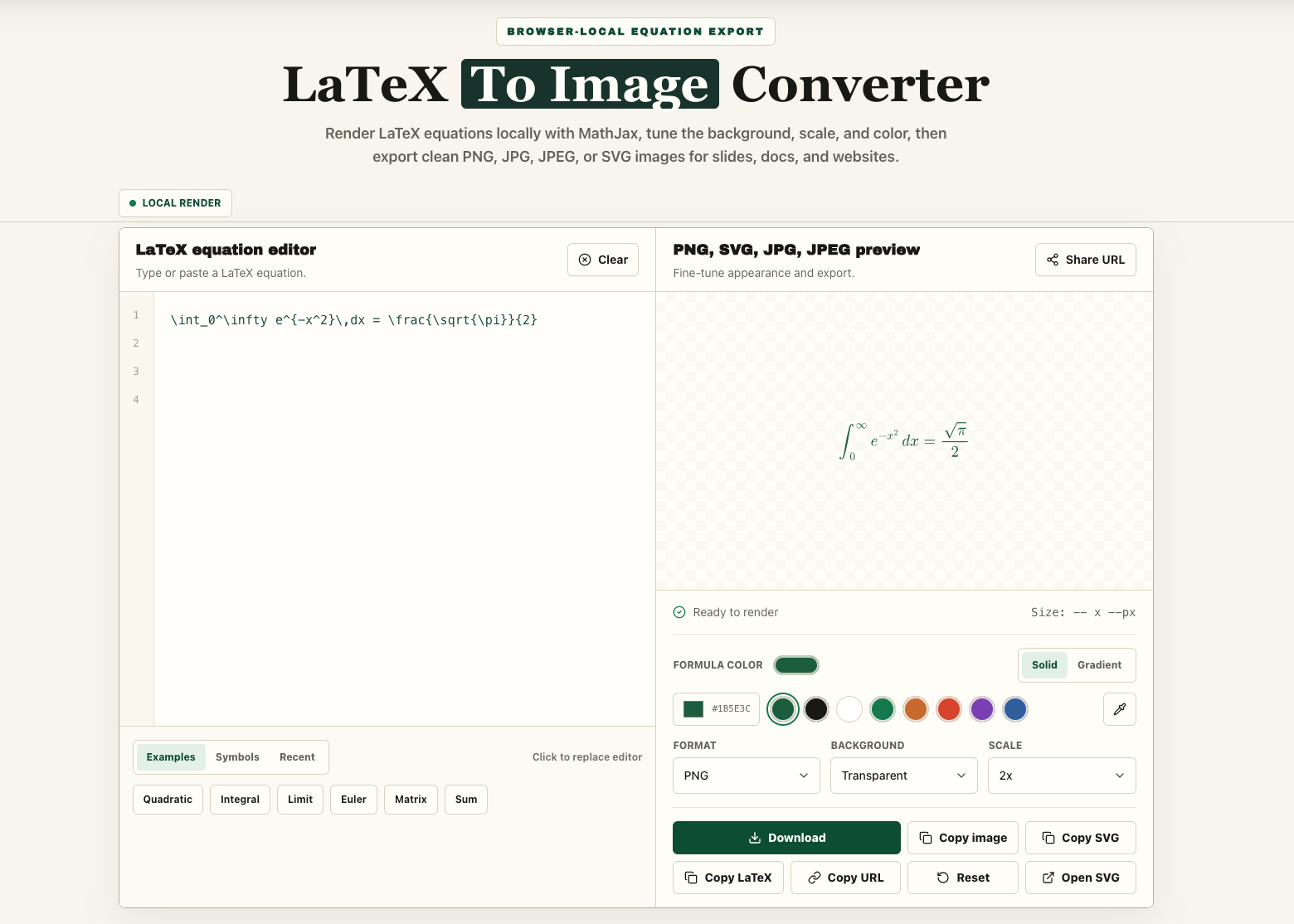
It works, but the result is often blurry, the background looks weird, and you have to crop the image manually.
I recently found a much easier option: LaTeX To Image.
The idea is very simple.
You paste your LaTeX code into the page, and it instantly turns it into a clean equation image.
For example, you can paste:
E = mc^2
and get a clean image ready to use.
No account. No installation. No complicated setup.
You can choose the image format you need
The site supports a few useful formats.
If you just need a normal image for slides, homework, notes, or a blog post, PNG is probably the easiest option.
There's a dedicated LaTeX to PNG tool, and you can also use a transparent background, which is really useful for presentations.
If you're working on a website or documentation, SVG is a nice option because it stays sharp even when you resize it.
There's also a LaTeX to SVG tool.
And if you need a regular JPG image for compatibility with another platform, that's available too.
It's useful for more people than you might think
Students can use it for assignments or notes.
Teachers can use it for slides and worksheets.
Developers can use it for documentation or GitHub pages.
Researchers can use it when preparing presentations or sharing formulas somewhere that doesn't support LaTeX directly.
Even if you only use LaTeX once in a while, it's still useful to have a tool like this bookmarked.
What I like about it
The main thing is that it doesn't try to do too much.
You don't need to learn a new editor.
You don't need to upload a full document.
You don't need to create an account just to export one equation.
You paste the formula, check the preview, choose the format, and save the image.
That's it.
You can also change the background, equation color, and image size before exporting, which is handy if you're trying to match a presentation or website design.
It's not a full LaTeX editor
Just to be clear, this isn't something that replaces Overleaf or a full LaTeX setup.
If you're writing a paper or working with a big .tex project, you'll still want a proper LaTeX editor.
This is really for one specific situation:
You already have the equation, and you just need it as an image.
For that, it works really well.
If you've ever wasted time taking screenshots of equations, cropping them, or trying to make them look clean, you can try latextoimg.com.
It's a small tool, but it's one of those tools that can save you a few annoying steps when you need it.