Essential Social Media Marketing Tools for Beginners
Essential Social Media Marketing Tools for Beginners
Introduction
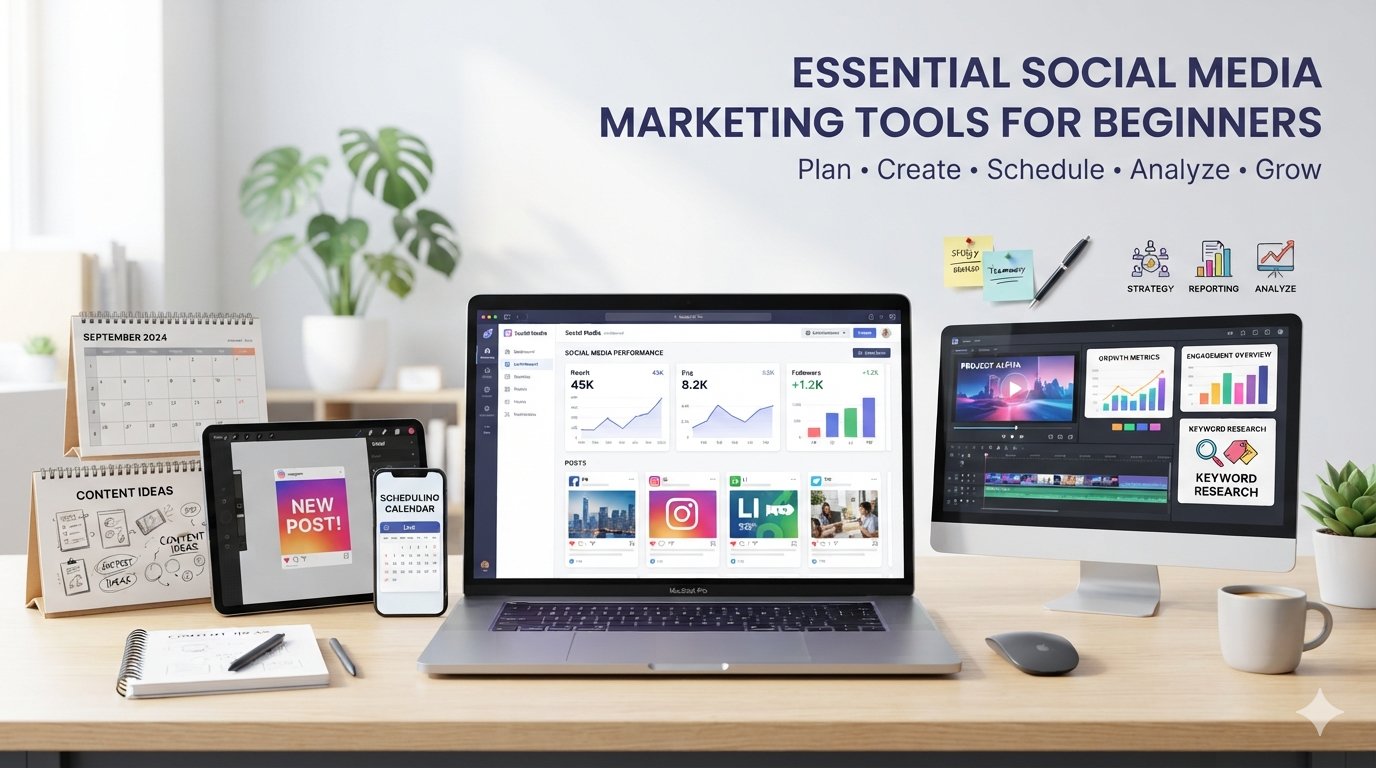
Starting social media marketing can feel overwhelming. You may need to create graphics, edit videos, plan content, publish posts, research keywords, track performance, collaborate with others, and prepare reports—all while maintaining a consistent brand voice.
Fortunately, social media marketing tools can simplify many of these tasks. Instead of trying to find one application that does everything, beginners can build a practical social media marketing toolkit around the activities that matter most to their workflow.
Different tools serve different purposes. Some focus on content creation, while others specialize in scheduling, analytics, collaboration, keyword research, or reporting. The right combination depends on your goals, budget, technical experience, preferred social platforms, and team size.
This guide explains the major categories of social media marketing tools for beginners, what each category does, what to consider when choosing one, and how to connect these tools into an efficient workflow.
Social Media Marketing Tools at a Glance
Tool Category
Main Purpose
Useful for Beginners?
Common Considerations
Content Planning
Organizing ideas and campaigns
Yes
Calendars, idea management, content organization
Graphic Design
Creating social media visuals
Yes
Templates, brand kits, ease of use
Video Editing
Creating short-form and long-form videos
Yes
Editing complexity, templates, captions
Scheduling
Planning and publishing posts
Yes
Supported platforms, automation, publishing limits
Analytics
Understanding content performance
Yes
Metrics, dashboards, data depth
Keyword Research
Discovering topics and search terms
Yes
Search volume, relevance, difficulty
Collaboration
Managing team workflows
Especially useful for teams
Approvals, permissions, comments
Reporting
Turning performance data into reports
Useful as you grow
Exports, dashboards, customization
- Content Planning Tools
Content planning tools help you organize what you want to publish before you actually publish it.
Instead of keeping social media ideas scattered across notebooks, messages, spreadsheets, and browser tabs, a planning system can give you a central place to manage your content calendar.
What content planning tools can help with
Content calendars
Post ideas
Campaign planning
Publishing schedules
Content categories
Caption drafts
Hashtag or keyword notes
Content status tracking
Seasonal campaigns
Repurposing plans
For example, you might create categories such as:
Monday: Educational content
Tuesday: Short-form video
Wednesday: Industry tip
Thursday: Customer-focused content
Friday: Behind-the-scenes content
The exact schedule doesn't matter as much as having a repeatable system.
What beginners should look for
Choose a planning tool that is easy to understand. A complicated system with dozens of features may create more work than it saves.
Look for:
Calendar views
Simple content organization
Easy editing
Search functionality
Content status labels
Integration with your scheduling system
A simple spreadsheet or notes system may be sufficient when you're starting. You can move to specialized software when your content volume increases.
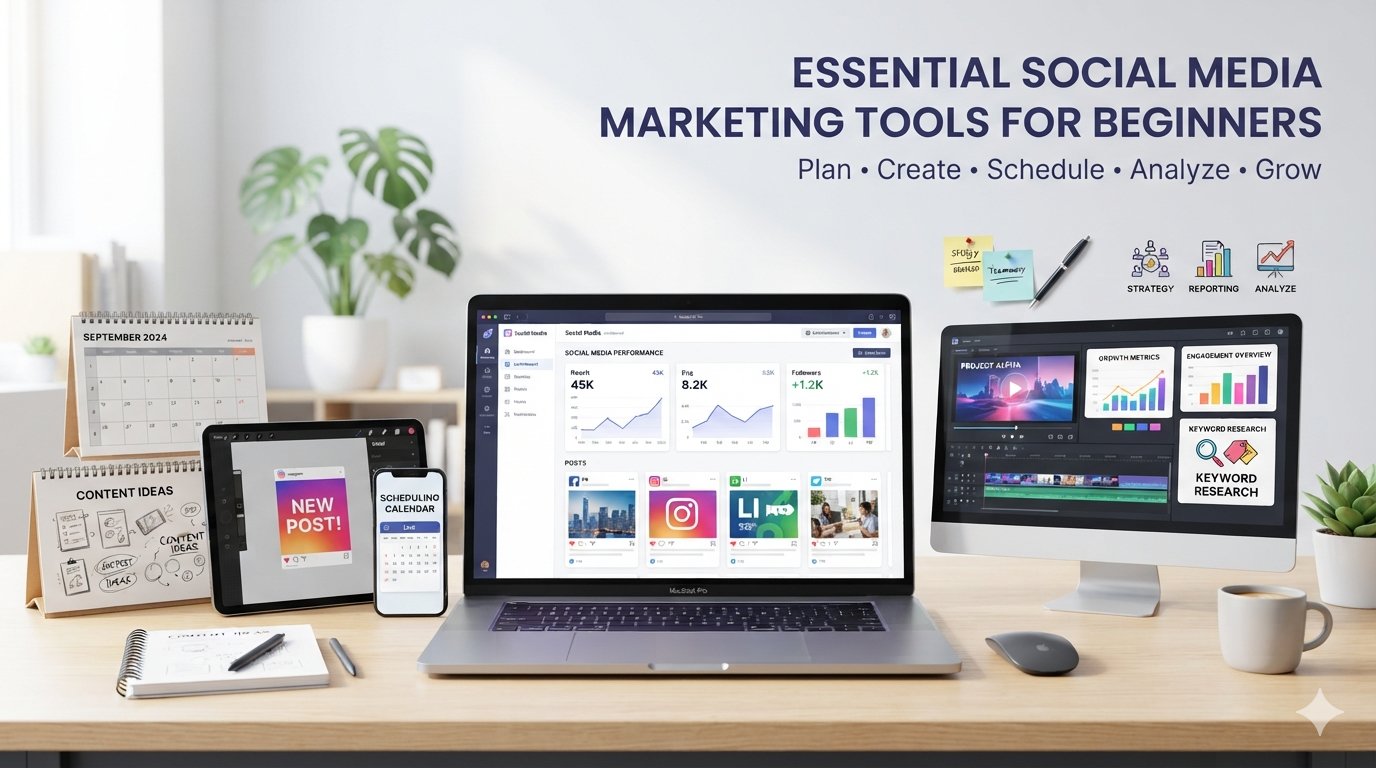
Graphic Design Tools
Visual content is an important part of social media marketing. Graphic design tools help beginners create images without necessarily needing advanced graphic design skills.
These tools commonly provide templates for social posts, stories, thumbnails, advertisements, presentations, banners, and other marketing materials.
Design platforms increasingly combine templates, stock assets, image editing, brand management, and AI-assisted creative features.
Common features
Social media templates
Image resizing
Text overlays
Background removal
Photo editing
Brand colors
Fonts
Logos
Stock images
Illustrations
Social media dimensions
Collaboration features
Free vs. paid design tools
Free plans can be useful for beginners who need basic templates and editing features.
Paid plans may provide additional:
Premium templates
Stock media
Brand management
Storage
Advanced editing
Team collaboration
AI-powered features
Don't upgrade simply because a premium plan has more features. First determine whether those features solve a problem you actually have.Video Editing Tools
Video has become an important format across many social platforms. Video editing tools help turn raw recordings into social-media-ready content.
Beginners can use them for:
Short-form videos
Reels
Shorts
Tutorials
Product demonstrations
Educational videos
Promotional videos
Interviews
Captioned videos
Useful beginner features
When choosing a video editor, consider whether it provides:
Simple trimming
Cropping
Transitions
Text overlays
Captions
Audio editing
Music
Aspect-ratio presets
Speed controls
Basic effects
Export options
Some tools are designed for quick social videos, while others provide professional-level editing environments.
For a beginner, ease of use can be more valuable than having hundreds of advanced effects.Social Media Scheduling Tools
Scheduling tools allow you to prepare posts in advance and manage publishing from a centralized interface.
Instead of manually opening every social platform whenever you want to publish something, a scheduling platform can help organize content across supported networks.
Scheduling platforms can combine publishing, calendars, analytics, collaboration, and other management functions.
Common scheduling features
Content calendars
Scheduled posts
Multiple social accounts
Post previews
Drafts
Publishing queues
Recurring content
Approval workflows
Media libraries
Analytics
Team permissions
Important consideration
Don't assume that every scheduling tool supports every feature on every social network.
For example, certain post formats or publishing functions may depend on the social network's API and the scheduling platform's current integrations.
Before subscribing, check whether the tool supports the specific platforms and post types you actually use.Social Media Analytics Tools
Analytics tools help you understand what happens after you publish content.
Instead of asking only, "How many likes did this post receive?", analytics can help you investigate broader questions:
Which content receives the most engagement?
Which posts generate clicks?
Which formats perform well?
When is the audience most active?
Which platforms produce meaningful traffic?
Is audience growth improving?
Which campaigns are generating results?
Native social platforms already provide analytics, while third-party tools can combine information from multiple networks into centralized dashboards.
Important metrics
Depending on your goals, you might track:
Reach: How many people were exposed to your content.
Impressions: How many times content was displayed.
Engagement: Interactions such as likes, comments, shares, and saves.
Engagement rate: Engagement relative to an appropriate audience or reach measurement.
Clicks: How many users clicked a link or call to action.
Video views: How often videos were viewed according to the platform's measurement system.
Conversions: Actions such as registrations, purchases, or other desired outcomes when tracking is available.
The most useful metrics depend on your objective. A brand focused on awareness may prioritize reach, while a business focused on website traffic may care more about clicks and conversions.
Keyword Research Tools
Keyword research isn't limited to traditional search-engine optimization.
Social media marketers can use keyword research to discover topics, questions, phrases, and search behaviors that can influence content ideas.
Keyword research can help you discover
Popular topics
Long-tail phrases
Questions people ask
Related subjects
Search trends
Content opportunities
Audience terminology
For example, instead of creating a generic post about "social media marketing," keyword research might reveal more specific topics such as:
social media marketing for beginners
how to create a content calendar
social media content ideas
how to schedule social media posts
social media analytics basics
The objective isn't to insert keywords unnaturally into every caption. Instead, keyword research can help you understand what your audience is interested in.Collaboration Tools
If you're working alone, collaboration software may not be essential at first.
But once you work with writers, designers, video editors, clients, assistants, or marketing teams, collaboration becomes much more important.
Collaboration tools can provide
Shared workspaces
Comments
Task assignments
Content approvals
User permissions
Version tracking
Editorial workflows
Deadlines
Client feedback
Shared content calendars
For example, a simple workflow could be:
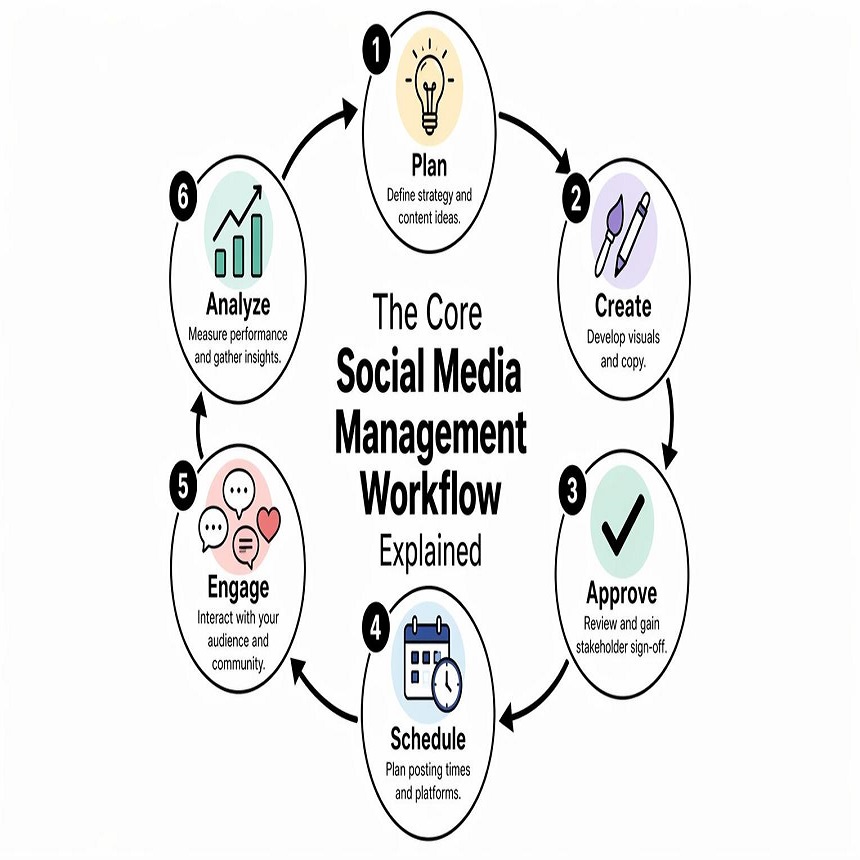
Idea → Draft → Design → Review → Approval → Schedule → Publish → Analyze
This creates a clear process and reduces confusion about who is responsible for each stage.
Approval and permission features become increasingly useful as the number of people involved in publishing grows.Reporting Tools
Analytics tell you what happened. Reporting helps you communicate what happened.
Reporting tools can turn social media data into dashboards or documents that are easier to review with clients, managers, or team members.
Common reporting features
Automated reports
PDF exports
Custom dashboards
Performance summaries
Date comparisons
Platform comparisons
Campaign reports
Engagement summaries
Audience information
Exportable data
A beginner managing one social account may not need an advanced reporting platform.
However, reporting becomes increasingly valuable when you manage several brands, clients, campaigns, or platforms.
Free vs. Paid Social Media Marketing Tools
One of the biggest questions beginners have is whether they should pay for social media software.
There is no universal answer.
Many categories offer free options, while paid plans typically expand limits, add advanced features, increase storage, support more accounts, or provide collaboration and reporting capabilities. Current market comparisons show substantial differences between free plans, trials, entry-level subscriptions, and enterprise plans.
When free tools may be enough
A free tool may work well if you:
Manage only a few accounts
Publish occasionally
Work alone
Need basic designs
Need simple scheduling
Are learning social media marketing
Don't require advanced reports
When paid tools may become worthwhile
Consider a paid solution when you:
Manage many social profiles
Publish frequently
Work with a team
Need approval workflows
Need advanced analytics
Manage client accounts
Need automated reporting
Need additional storage
Want more integrations
Don't judge a tool solely by its monthly price. Consider the amount of time it saves and whether it fits your complete workflow.
Privacy and Security Considerations
Social media tools often require access to your social accounts. That makes privacy and security important considerations.
Before connecting an account, review:
What permissions the application requests
Which social networks it connects to
How account access is managed
Whether team permissions are available
How data is stored
Whether data can be exported
What happens when you disconnect an account
Whether two-factor authentication is supported
Avoid giving an application more access than it needs.
For businesses, also consider how employee and client access will be managed when someone joins or leaves the organization.
Learning Curve: Simple vs. Powerful Tools
A tool with more features isn't automatically better for a beginner.
There is often a trade-off between simplicity and functionality.
A basic scheduler may take minutes to learn, while an enterprise social media platform can require more training because it includes advanced analytics, workflows, permissions, listening, and reporting.
A useful rule is:
Start with the simplest tool that solves your current problem.
You can always upgrade your workflow later.
Workflow Integration Matters
The biggest benefit of a social media tool isn't necessarily an individual feature. It is how well the tool fits into the rest of your workflow.
Consider this example:
Step 1: Research topics and keywords
↓
Step 2: Create a content plan
↓
Step 3: Write captions and scripts
↓
Step 4: Design graphics or edit videos
↓
Step 5: Send content for review
↓
Step 6: Schedule approved content
↓
Step 7: Publish
↓
Step 8: Analyze performance
↓
Step 9: Create a performance report
↓
Step 10: Use the insights to plan the next content cycle
The fewer unnecessary manual steps between these stages, the easier your system becomes to maintain.
Some modern social media platforms attempt to combine several of these functions into a single workspace, while specialized tools remain useful when you need deeper functionality in a particular area.
Practical Recommendations for Beginners
Instead of immediately subscribing to several expensive platforms, build your toolkit gradually.
Beginner Stage 1: Start Simple
Begin with:
One content planning system
One graphic design tool
One video editor
Native social media analytics
A basic spreadsheet or reporting document
This is enough to learn the fundamentals.
Beginner Stage 2: Add Scheduling
Once publishing becomes repetitive, consider a scheduling tool.
Choose one based on:
Your social platforms
Number of accounts
Publishing frequency
Calendar requirements
Analytics needs
Budget
Beginner Stage 3: Add Analytics and Reporting
Once you have enough content data, introduce more advanced analytics and reporting.
Focus on answering business questions rather than collecting every available metric.
Beginner Stage 4: Add Collaboration
If multiple people are involved, introduce approval workflows, shared calendars, permissions, and task management.
Beginner Stage 5: Integrate the Workflow
Finally, look for integrations that connect your content creation, scheduling, analytics, storage, and reporting processes.
The goal isn't to accumulate dozens of applications.
The goal is to create a system that makes social media marketing easier to manage.
How to Choose Your First Social Media Marketing Tools
Before choosing a tool, ask these questions:
- What problem am I trying to solve?
Don't purchase a tool simply because it is popular.
Identify the problem first. - Which social platforms do I use?
Check whether the tool supports your required networks and publishing formats. - How often do I publish?
Someone posting twice a week may have very different requirements from someone publishing multiple pieces of content every day. - Am I working alone?
Solo marketers can usually use simpler workflows. Teams may need permissions and approval systems. - What is my budget?
Calculate the total monthly or annual cost rather than focusing only on the advertised entry price. - How difficult is it to learn?
A powerful tool that you rarely use may be less useful than a simpler tool you use consistently. - Can it integrate with my existing workflow?
Check whether it connects with the applications you already use. - Can I leave easily?
Review export options, cancellation terms, and what happens to your data if you stop using the service.
A Simple Beginner Social Media Tool Stack
A beginner doesn't need a huge technology stack.
A practical setup could look like this:
Workflow Stage
Tool Category
Research
Keyword/topic research
Planning
Content calendar
Writing
Writing or AI assistance
Graphics
Graphic design
Video
Video editing
Publishing
Social media scheduler
Measurement
Analytics
Teamwork
Collaboration
Client/business updates
Reporting
As your needs grow, you can replace individual tools or move toward an integrated platform.
The important thing is to build the workflow around your goals rather than forcing your marketing strategy to fit a particular application.
Common Mistakes Beginners Should Avoid
Using Too Many Tools
Having ten applications doesn't necessarily make your marketing better.
Every additional tool can introduce another login, subscription, workflow, integration, and learning curve.
Paying for Features You Don't Use
Don't subscribe to an advanced plan simply because it has more features.
Identify the features you actually need.
Ignoring Native Platform Analytics
Third-party tools can be useful, but the social networks themselves provide valuable first-party performance information.
Use native analytics as an important reference point.
Focusing Only on Vanity Metrics
A large number of likes isn't automatically a successful marketing campaign.
Look at metrics connected to your actual objective.
Forgetting Security
Review account permissions before connecting social profiles to third-party services.
Not Checking Current Features
Social platforms frequently change APIs, publishing capabilities, pricing, and available integrations.
Always verify current information before purchasing.
Conclusion
The best social media marketing toolkit for a beginner isn't necessarily the one with the largest number of features.
Start by identifying what you need to accomplish.
Use content planning tools to organize ideas, graphic design tools to create visuals, video editors to produce engaging videos, scheduling tools to organize publishing, analytics platforms to measure performance, keyword research tools to discover relevant topics, collaboration systems to coordinate people, and reporting tools to communicate results.
You don't need every category immediately.
Start small, learn your workflow, and add tools when they solve a genuine problem. As your content volume, audience, team, or reporting requirements grow, your technology stack can grow with you.
Most importantly, don't choose a tool solely because someone calls it the "best." Your ideal solution depends on your goals, budget, platforms, experience, privacy requirements, and workflow.
Always verify the provider's current pricing, free-plan limits, supported platforms, features, integrations, privacy policies, and terms before signing up or purchasing a subscription.
Frequently Asked Questions
What are social media marketing tools?
Social media marketing tools are applications or platforms that help with activities such as planning, creating, scheduling, publishing, analyzing, collaborating, and reporting on social media content.
Do beginners need paid social media marketing tools?
No. Beginners can often start with free tools and native social platform features. Paid tools become more useful when you need additional accounts, advanced analytics, automation, collaboration, storage, or reporting.
What social media tool should beginners use first?
Start with the category that solves your biggest current problem. If organization is difficult, start with content planning. If publishing takes too much time, consider scheduling. If creating visuals is the challenge, start with a design tool.
Can one tool handle all social media marketing tasks?
Some platforms combine several functions, including planning, publishing, analytics, collaboration, and reporting. However, specialized tools can provide deeper capabilities in individual areas.
Are free social media tools safe?
Free doesn't automatically mean unsafe, and paid doesn't automatically mean secure. Review the provider's privacy policy, requested permissions, security practices, account controls, and data-handling policies before connecting your social accounts.
How many social media tools should a beginner use?
There is no fixed number. A small toolkit of several complementary tools is often easier to manage than a large collection of overlapping applications.
Should I use a social media scheduling tool?
If you publish regularly across multiple platforms, scheduling can make your workflow more organized. Before choosing one, confirm that it supports your specific platforms and content formats.
What metrics should beginners track?
Start with metrics related to your objective. Depending on your goals, these could include reach, impressions, engagement, engagement rate, clicks, video performance, audience growth, website traffic, or conversions.
How often should social media performance be reported?
The appropriate frequency depends on your publishing volume and business goals. Beginners might review performance weekly and create a more structured monthly summary.
Do social media tools replace a marketing strategy?
No. Tools can make execution easier, but they don't replace audience research, positioning, creative strategy, consistent publishing, community engagement, or thoughtful measurement.