How Real-Time Voice AI Actually Works: WebRTC, Whisper & LLMs Explained
Have you ever spoken to an AI voice assistant that takes three or four seconds to reply? That awkward pause makes the entire interaction feel unnatural.
In a normal human conversation, the gap between one person stopping and the other starting is tiny. For a machine to replicate this natural flow, a real-time voice AI agent has to hear, think, and speak inside that exact same pause.
Here is a breakdown of how real-time voice AI actually works under the hood.
⏱️ The Latency Budget: What Makes AI Feel "Real-Time"?
Speed is everything in voice AI. Industry benchmarks suggest a strict "latency budget": your system has about 500 to 800 milliseconds from the end of the caller's speech to the first audio of the reply.
Once delays push past the one-second mark, callers start talking over the AI, assuming it didn't hear them. Hitting a 500ms target means every component must finish its job in fractions of a second:
Inbound Network: 10 to 30 ms
Speech-to-Text (Whisper): 30 to 80 ms
LLM Time to First Token: 150 to 300 ms
Text-to-Speech (TTS): 50 to 100 ms
⚙️ The Cascaded Pipeline: How the AI Thinks
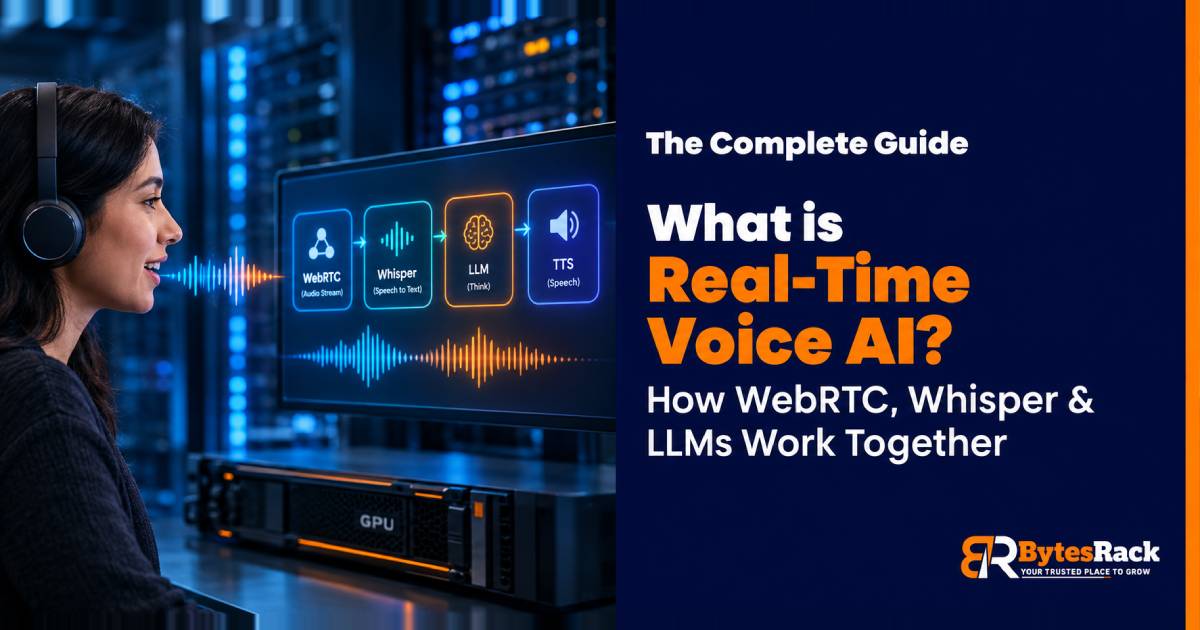
Rather than using one giant end-to-end model, the most practical architecture for self-hosted real-time voice agents is a cascaded streaming pipeline.
WebRTC (The Transport Layer): Callers need a way to send audio without buffering. WebRTC streams the audio instantly, just like a Zoom call.
Voice Activity Detection & Whisper (The Ears): A VAD monitors the audio stream for silence. Once your turn is over, it hands the audio to an optimized speech-to-text model (like faster-whisper) to transcribe words in milliseconds.
The LLM (The Brain): Because the Large Language Model is the biggest bottleneck, engineers don't wait for the entire answer. They measure "Time to First Token" (TTFT) to generate the very first word instantly.
Text-to-Speech (The Voice): As soon as the LLM finishes its first complete sentence, it is sent to the TTS engine to speak out loud, while the LLM thinks about the second sentence in the background.
🖥️ Why Run Real-Time Voice AI on Dedicated Hardware?
Running a pipeline this sensitive on shared cloud platforms can be risky. If the platform's scheduling shifts, your latency spikes, and the conversation breaks.
Running real-time voice AI on dedicated bare-metal GPU servers solves major problems:
Predictable, Ultra-Low Latency: Processes don't wait in line.
Direct Network Access: Bypasses complex load balancers that add delay.
Always-Loaded Models: No "cold starts." Models stay loaded in the VRAM.
Data Privacy: Keeps sensitive audio recordings entirely inside your own environment.
Building a voice agent is no longer just about generating smart answers. It is about orchestrating audio, models, and network infrastructure to react at human speed.
📖 Want to read the full breakdown, including when cloud scaling makes more sense and how to handle data compliance?
Read the full article https://www.bytesrack.com/blogs/what-is-real-time-voice-ai/
Clear breakdown of real-time voice AI latency budgets and cascaded pipelines. Using WebRTC alongside Whisper and streaming LLMs is crucial for low-latency interactions.
Ese desglose del latency budget es clave: 30 a 80 ms para Whisper es lo que hace que la conversación fluya. Corrés faster-whisper en tu propio hardware o lo probaste en la nube?