Discover a Simple Online Spectrum Analyzer
Sometimes, I hear something in an audio file and can’t quite figure out what it is.
A faint hum.
A strange high-frequency sound.
Or just a part of the recording that feels slightly off.
Most of the time, I leave it alone.
Opening a full audio editor just to check one small thing feels like too much work.
And honestly, sometimes I don’t even know exactly what I’m looking for.
A few days ago, I had an audio file like that.
It sounded normal at first.
But somewhere in the background, there was a tone I kept noticing.
I replayed it a few times.
Still couldn’t tell.
Then I remembered an online tool I had seen before.
I uploaded the file and watched the frequency spectrum appear.
Suddenly, the sound wasn’t just something I could hear.
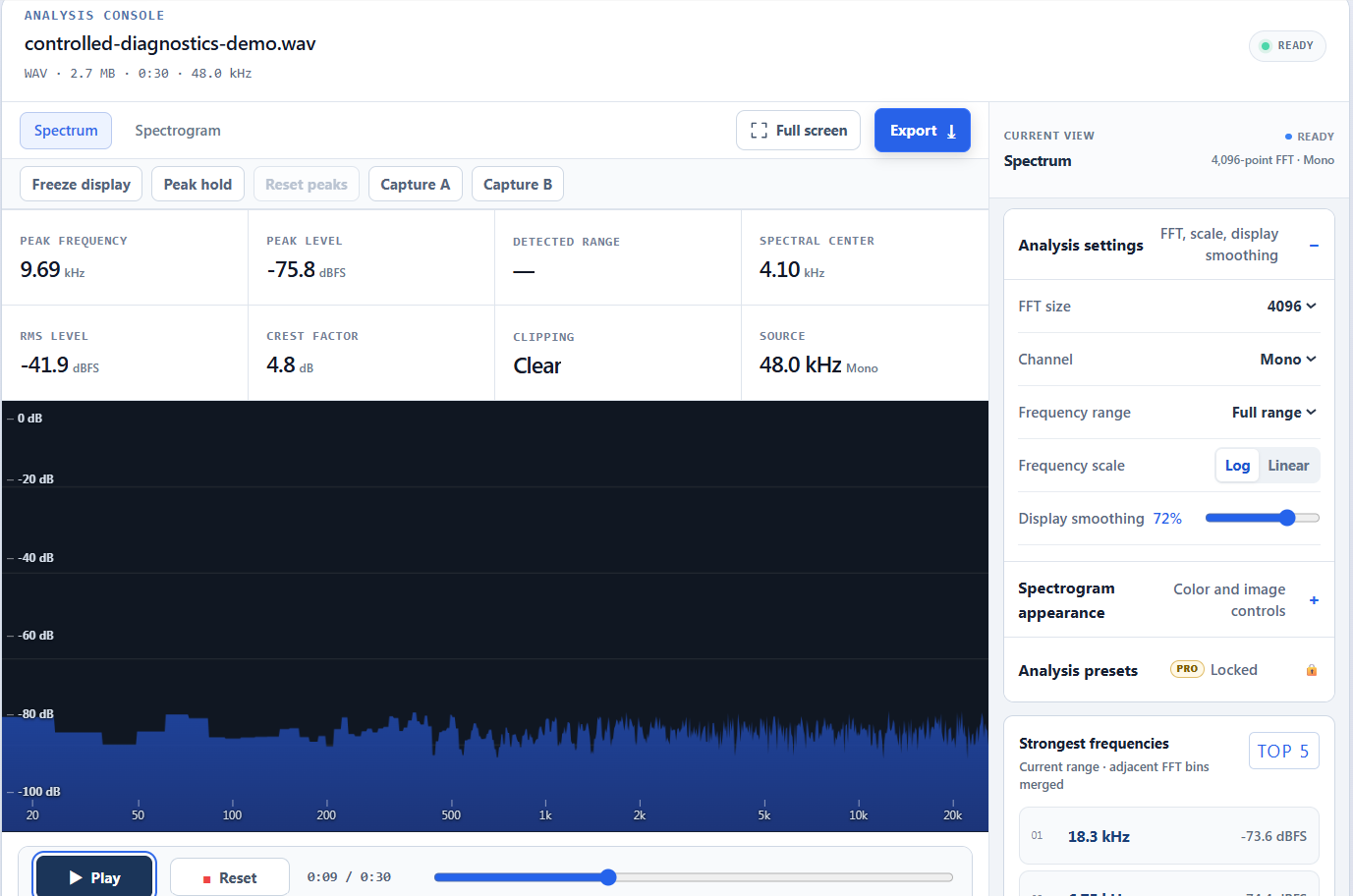
I could see it.
There were peaks at different frequencies, and the spectrogram showed how the sound changed over time.
Nothing dramatic happened.
I didn’t suddenly become an audio engineer.
But the thing that had been bothering me became a little easier to understand.
The tool also works with microphone input, so you can analyze sound in real time.
You can change the FFT size, frequency range and smoothing, or switch between the spectrum and spectrogram views.
And if you want to look at the results later, you can export them as an image or CSV file.
What I liked most was that I didn’t need to install anything.
It just worked in the browser.
Sometimes, that matters more than having dozens of complicated features.
A small question comes up.
You open a tool.
You look at the sound for a minute.
And then you move on.
Tools don’t always need to solve something important.
Sometimes they just help turn something vague into something you can actually see.
Online spectrum analyzer tools like this are useful in exactly that way — simple, quiet, and there when you need them.
For me, that little mystery in the audio file was enough.
And sometimes, understanding one small thing is enough too.